Surya Bintang
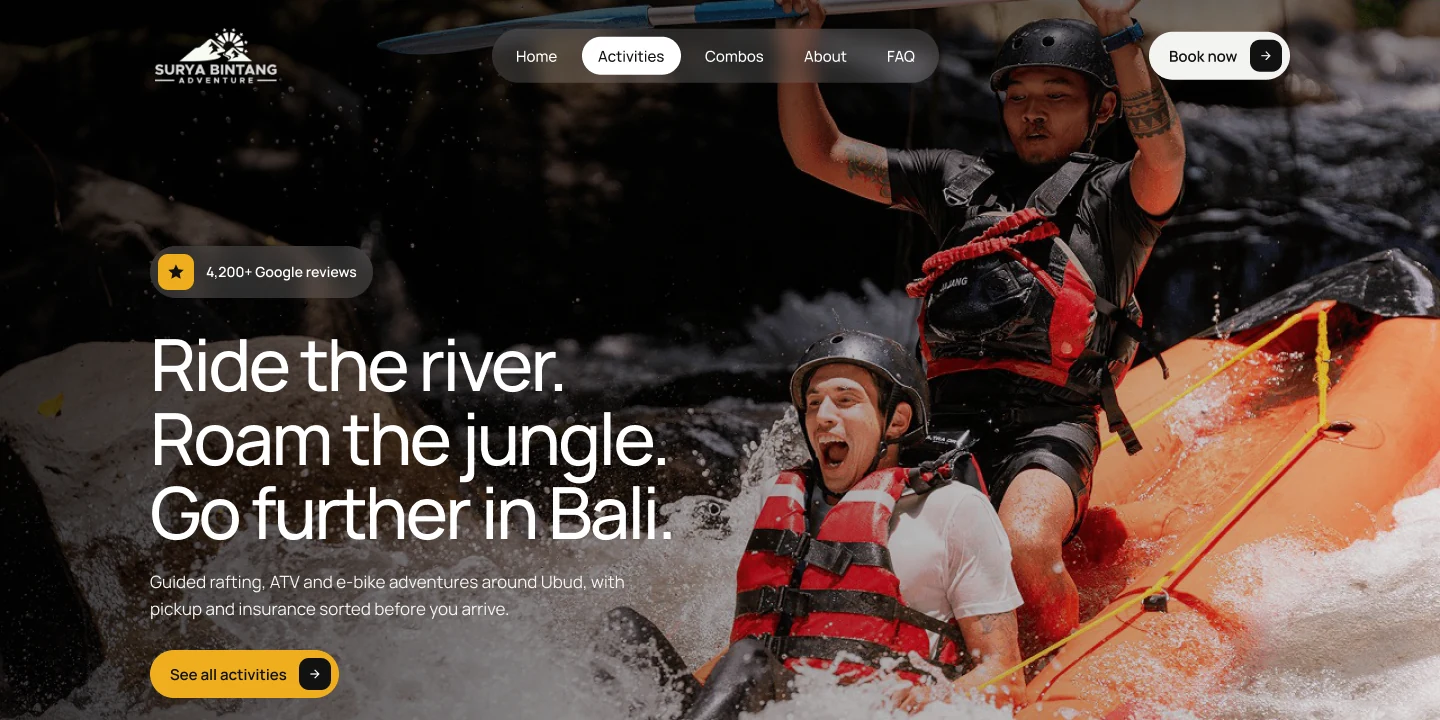
Surya Bintang: designed to sell a day of adventures online, then run that same day from one back office
- Industry
- Travel & Tourism
- Project timeline
- July to September 2025Ongoing maintenance
- What we did
- Research, UI/UX Design, Design System, Prototype, Development, Ops
- Design deliverables
- Website UI, Mobile Web UI, Back Office UI, Agent Portal UI, POS UI, Design System
- Engineering deliverables
- Booking System, CMS, E-Commerce, Back Office, Reservation System, Agent Portal, Accounting System, POS, SEO, Analytics
We gave Surya Bintang, an adventure basecamp in Ubud, one product for both sides of the business: a booking website for guests and a back office for the team.
Guests sent every question to WhatsApp before booking, while the team ran each tour day from chats, sheets and paper manifests.
Now guests build a full day and pay a deposit on their own, and the team starts every morning on one screen.
Objective
Design a booking website that sells a day of adventures on a phone, then a back office, admin and agent portal that runs that same day.
The Challenge
Many products, one basecamp
Rafting, ATV, kayaking, cycling and e-bikes, plus combos, transport and a restaurant. Bookings came from walk-ins, the website, agents and chat.
Questions late at night
Anything unclear on the old site went to WhatsApp and was answered by hand, one guest at a time.
A tour day run from chats
Missing drivers and unpaid balances surfaced too late, often with the guest already at the river.
The Solution
One layout for every product
A rafting trip, an e-bike route and a combo read the same way: duration, level and price per person.
One cart, then a deposit
Add a second activity at 10% off, pick a date and time, pay in full or 50% now, without leaving the page.
Today first, for the team
The back office opens on what still needs doing before the first pickup, and money always shows what is left.
Accounts that check themselves
Every payment, refund and agent commission goes into the books automatically, and the system flags any day where the numbers do not balance.
Our development process.
Five phases in three months, from shadowing a full operating day to the booking site, back office, accounting and POS running in production.
One brand, three products.
Manrope and one Surya gold run through all three: a dark, photo-led site for guests and a calm, light workspace for the team.
Manrope
Aa Bb Cc Dd Ee Ff Gg Hh Ii Jj Kk Ll Mm Nn Oo Pp Qq Rr Ss Tt Uu Vv Ww Xx Yy Zz
0 1 2 3 4 5 6 7 8 9 & * @ ? ! / + ( , . : ; )
- Regular
- Medium
- Semibold
- Bold
One family for the website, the admin and the agent portal.
Surya gold
- HEX
- #EFAD1E
- RGB
- 239 | 173 | 30
- CMYK
- 0 | 28 | 87 | 6
Gold tint
- HEX
- #FFF7E8
- RGB
- 255 | 247 | 232
- CMYK
- 0 | 3 | 9 | 0
Success
- HEX
- #15803D
- RGB
- 21 | 128 | 61
- CMYK
- 84 | 0 | 52 | 50
Ink
- HEX
- #0A0C11
- RGB
- 10 | 12 | 17
- CMYK
- 41 | 29 | 0 | 93
Text
- HEX
- #303030
- RGB
- 48 | 48 | 48
- CMYK
- 0 | 0 | 0 | 81
Muted
- HEX
- #6B7280
- RGB
- 107 | 114 | 128
- CMYK
- 16 | 11 | 0 | 50
Border
- HEX
- #E5E7EB
- RGB
- 229 | 231 | 235
- CMYK
- 3 | 2 | 0 | 8
/Icons · 18 from the product, Remix line
Part 1 · Booking website
Guests used to ask every question on WhatsApp before booking. The website answers those questions and takes the booking and payment on its own.
A homepage that answers before guests ask.
Here you see the full homepage on desktop and phone, scrolling together. It runs in the order guests think: what there is to do, how a day works, what it costs and what other guests said, with a booking button in every section.


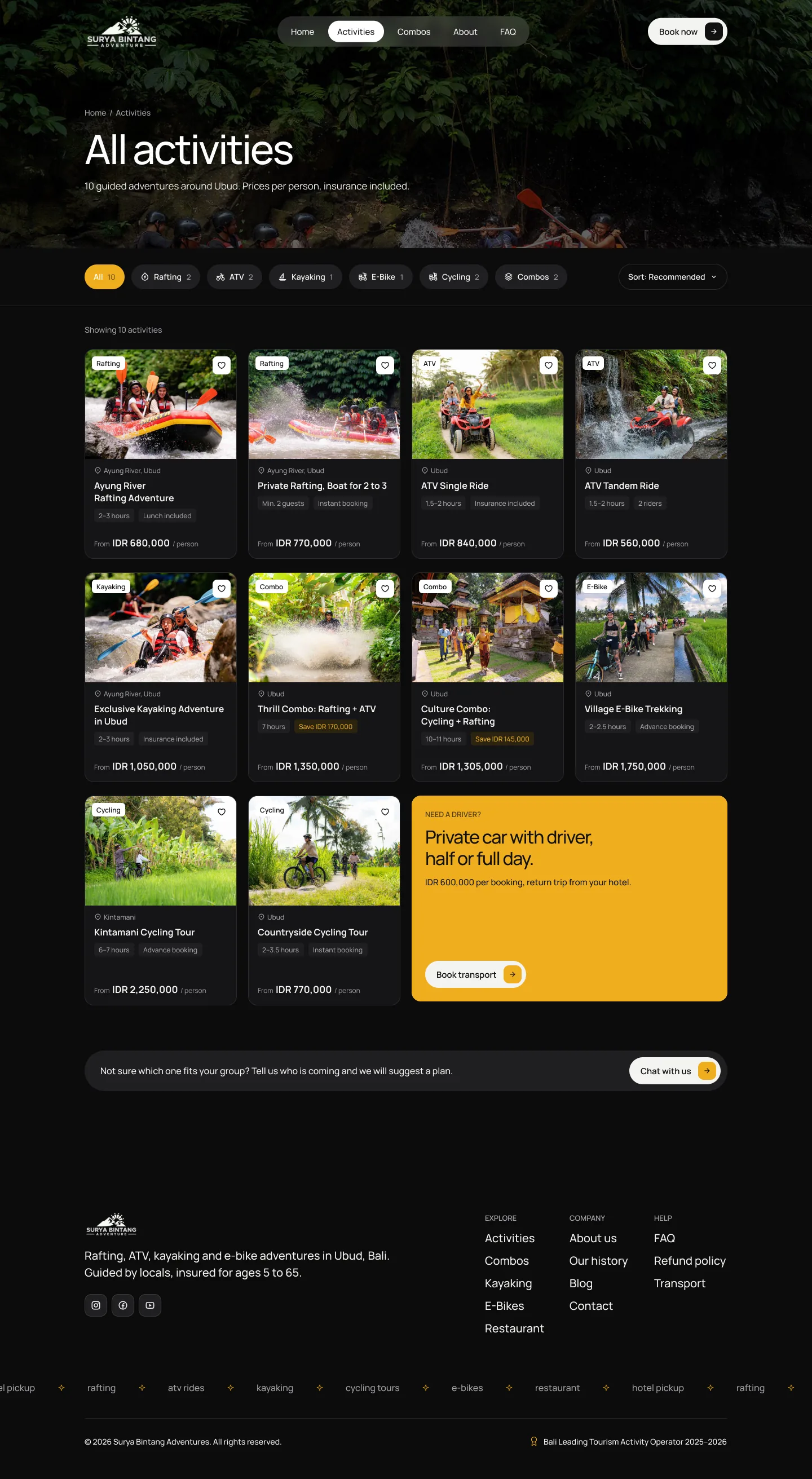
Find the right ride in seconds.
This is the activities page. Each card shows the three things guests compare first: how long it takes, how hard it is and the price per person. Filters by activity and by who is coming cut fifteen options down to two or three.
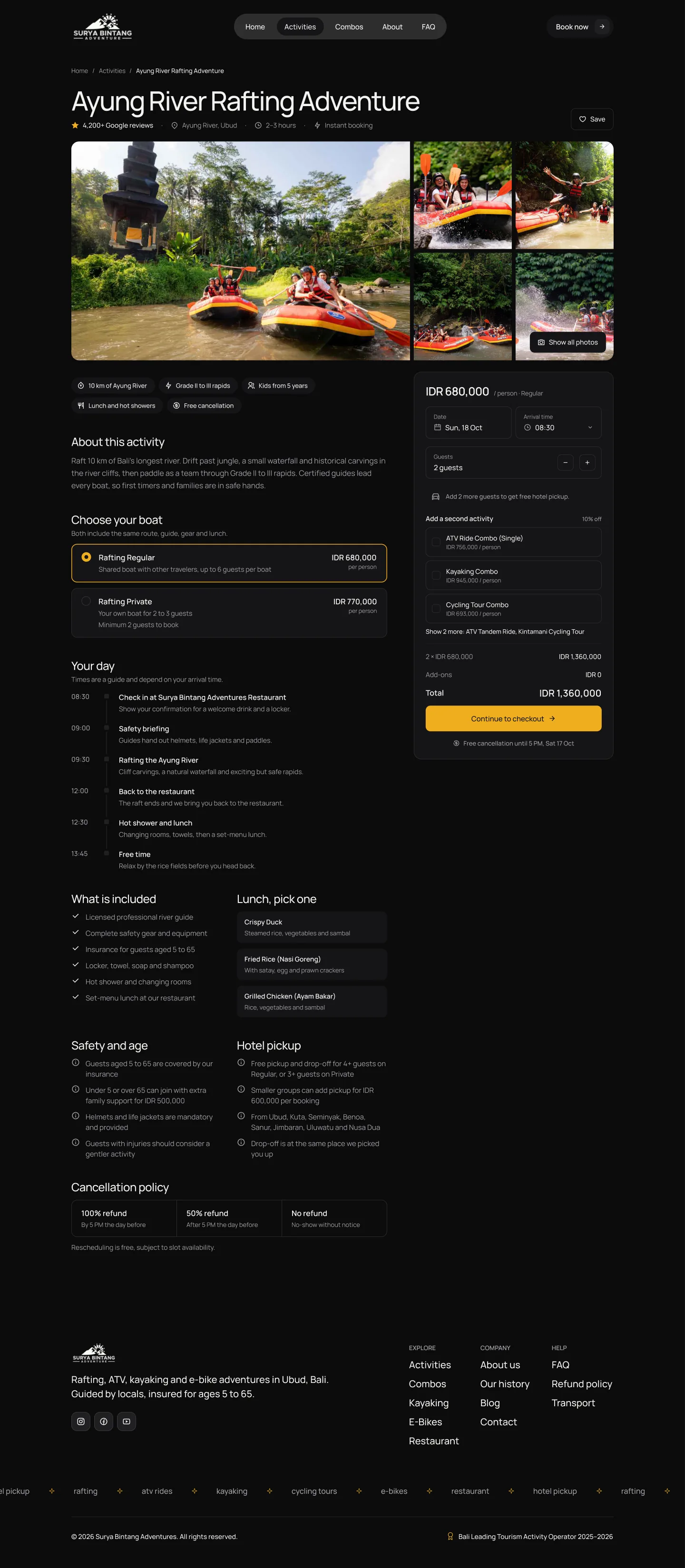
Pick a time, see the total.
On the activity page the booking card stays pinned on the right while guests read the day hour by hour on the left: pickup, safety briefing, the river, lunch. A second activity gives 10% off, and the total updates line by line, so there is no surprise at checkout.
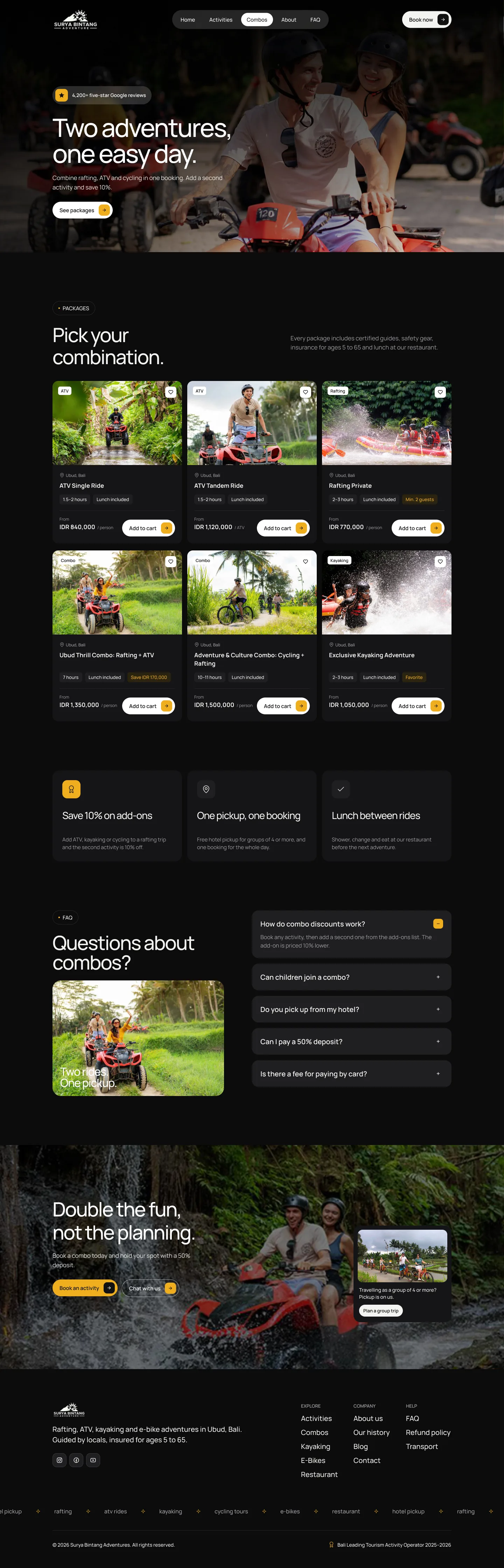
Two adventures, one cart.
Most guests want more than one thing in a day. The combos page bundles rafting, ATV and lunch into one price and one pickup, which is easier to say yes to than three separate bookings.
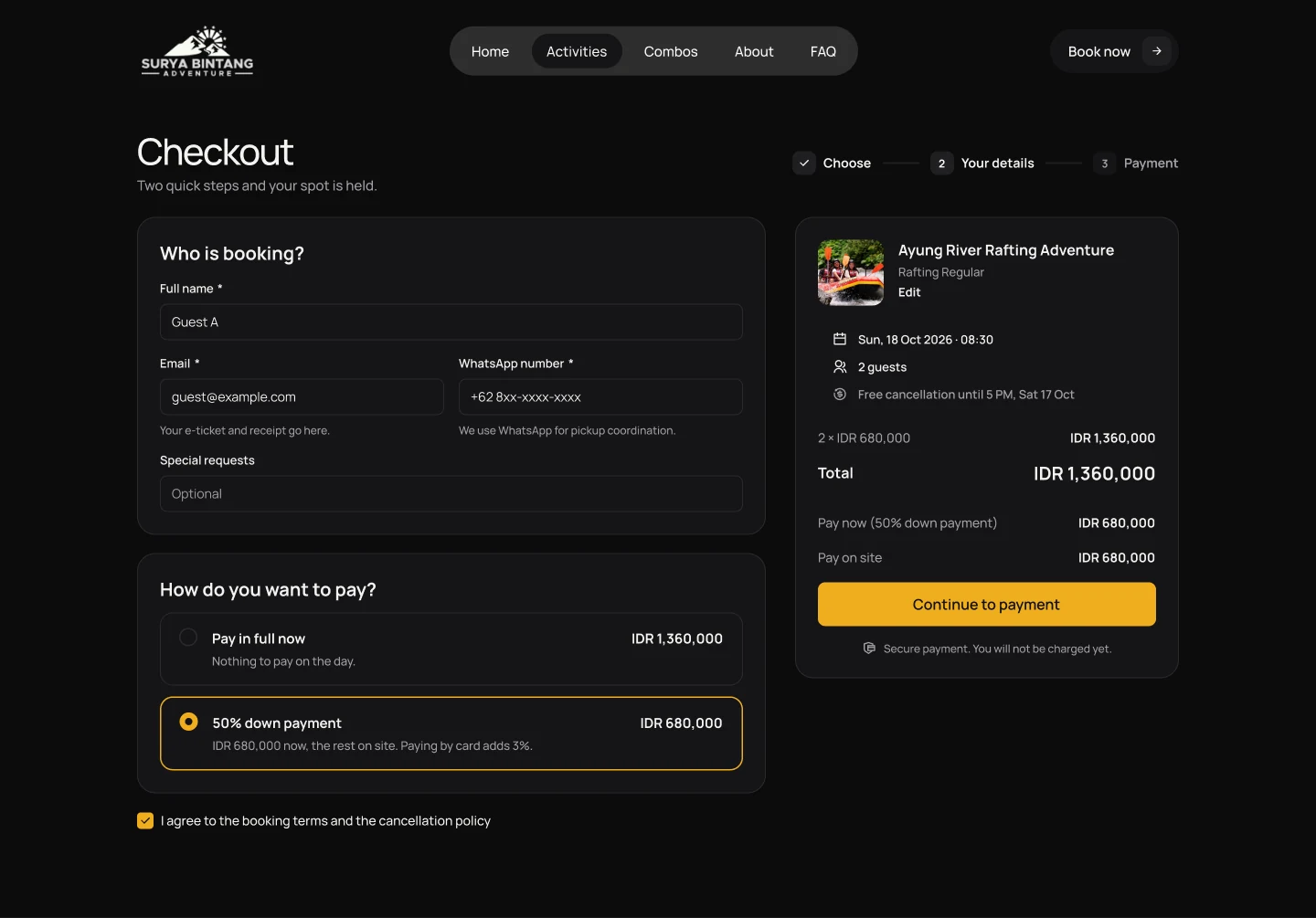
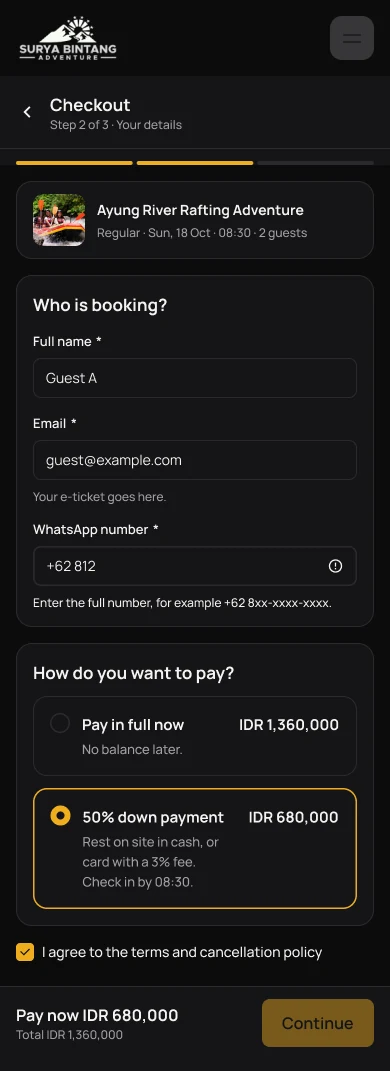
Checkout in one short screen.
Only what the team needs to run the day: the lead guest, the hotel for pickup and how to pay. Guests can pay in full or pay a 50% deposit.
Your details
Name, WhatsApp number and the hotel for pickup.
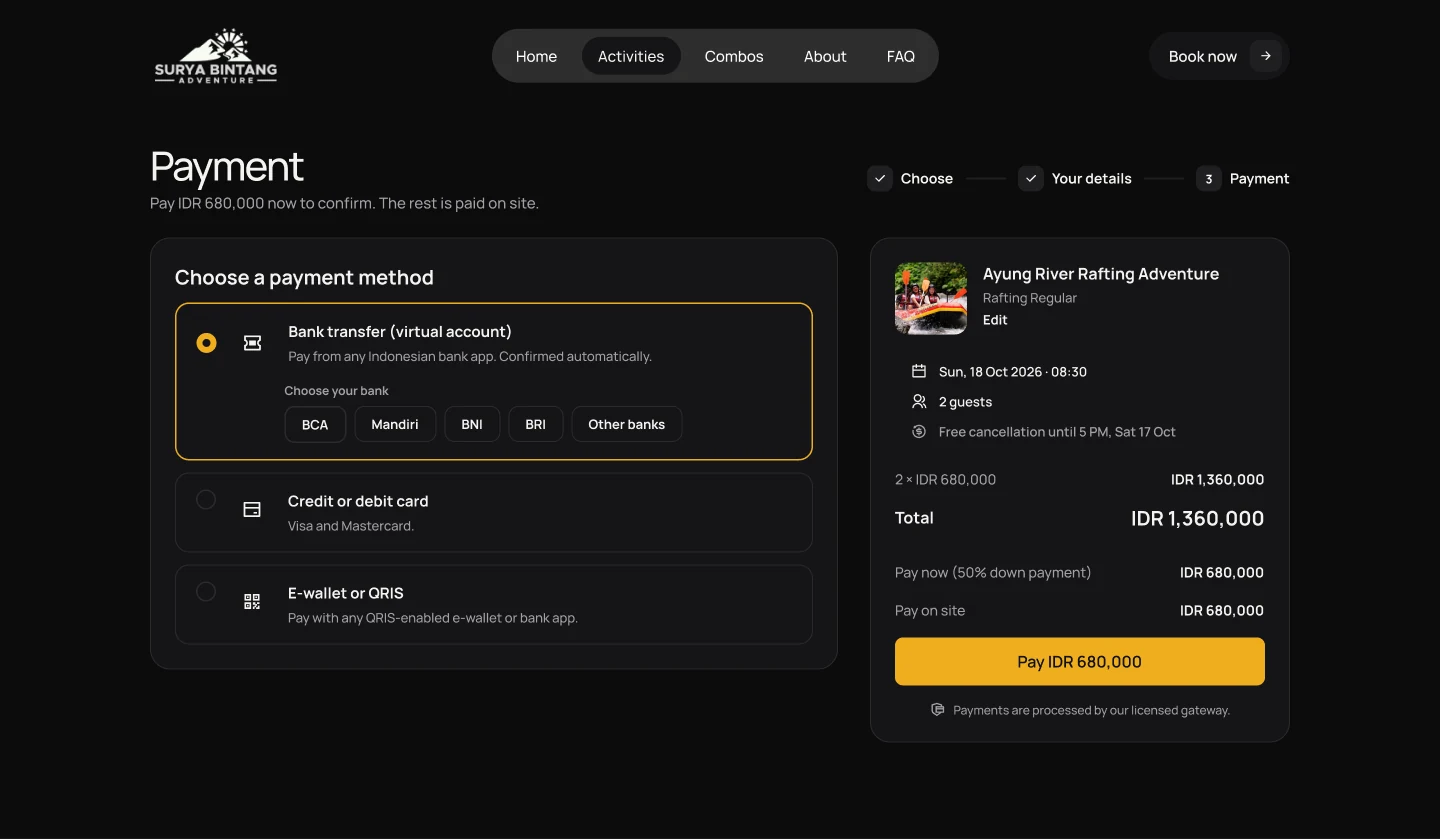
Choose how to pay
Pay in full or a 50% deposit, by transfer, card or QRIS.
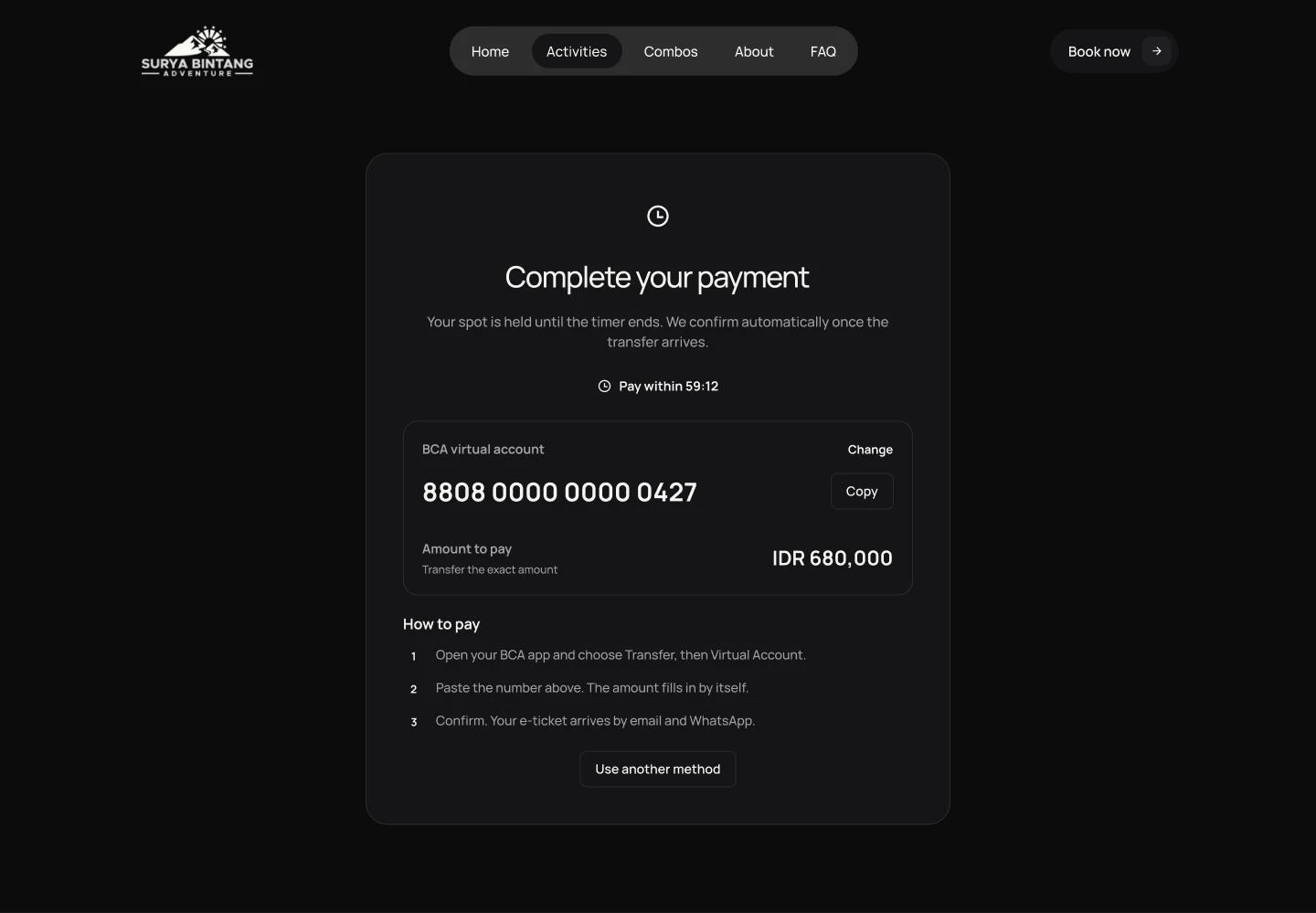
Waiting for payment
The seats are held while the guest pays, with a countdown.
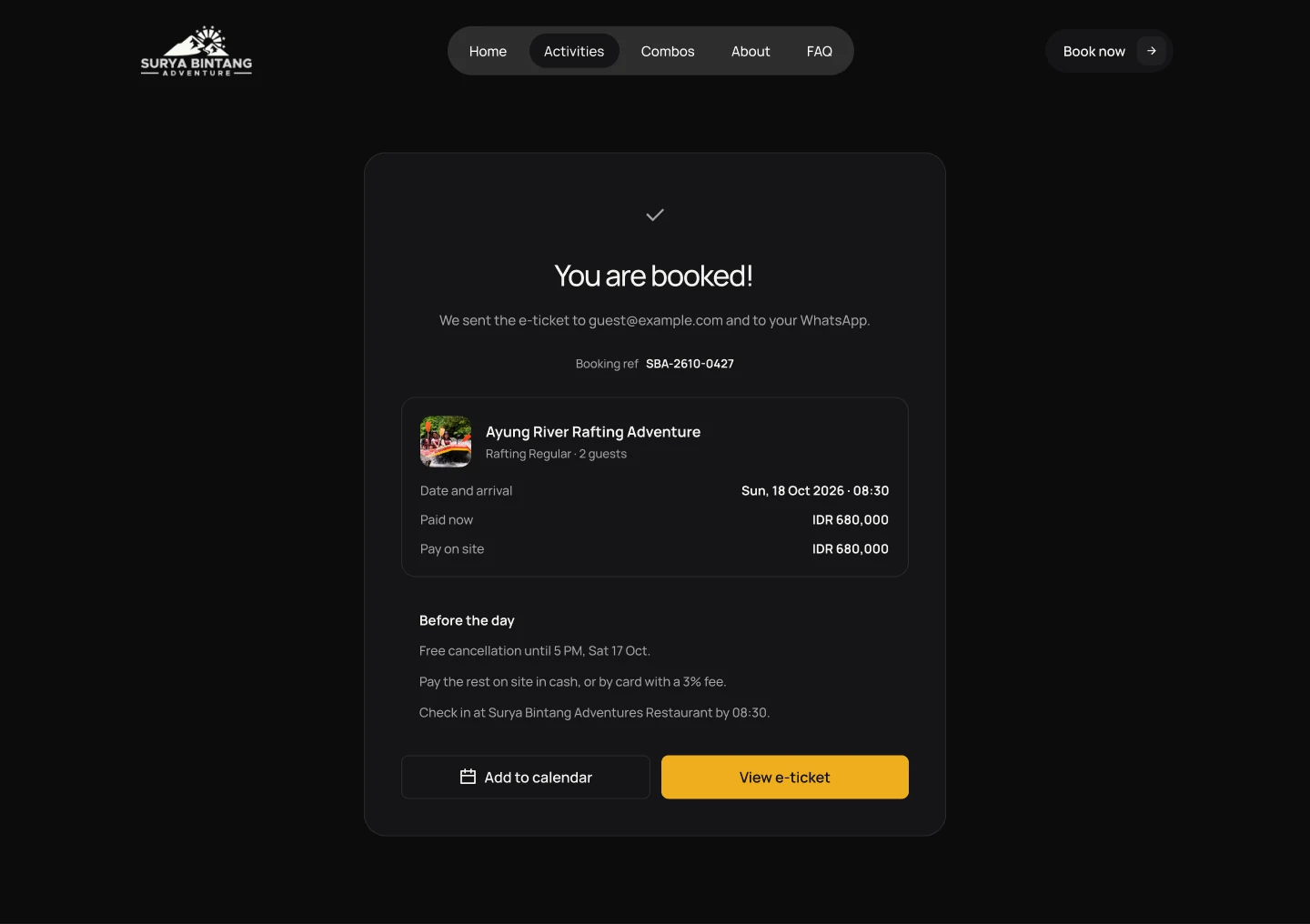
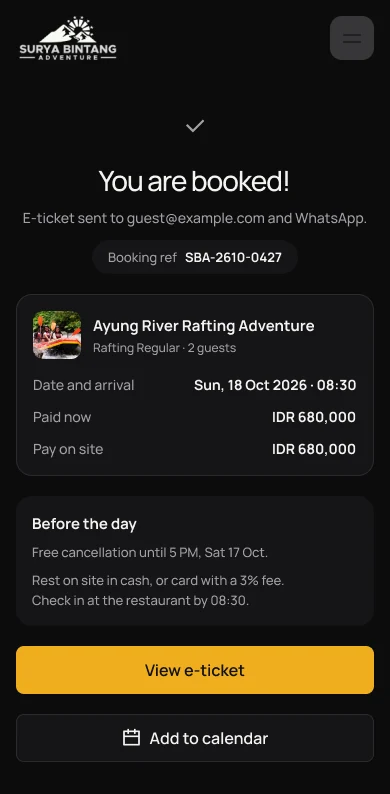
Booking confirmed
Shows the pickup time, what to bring and who to contact.
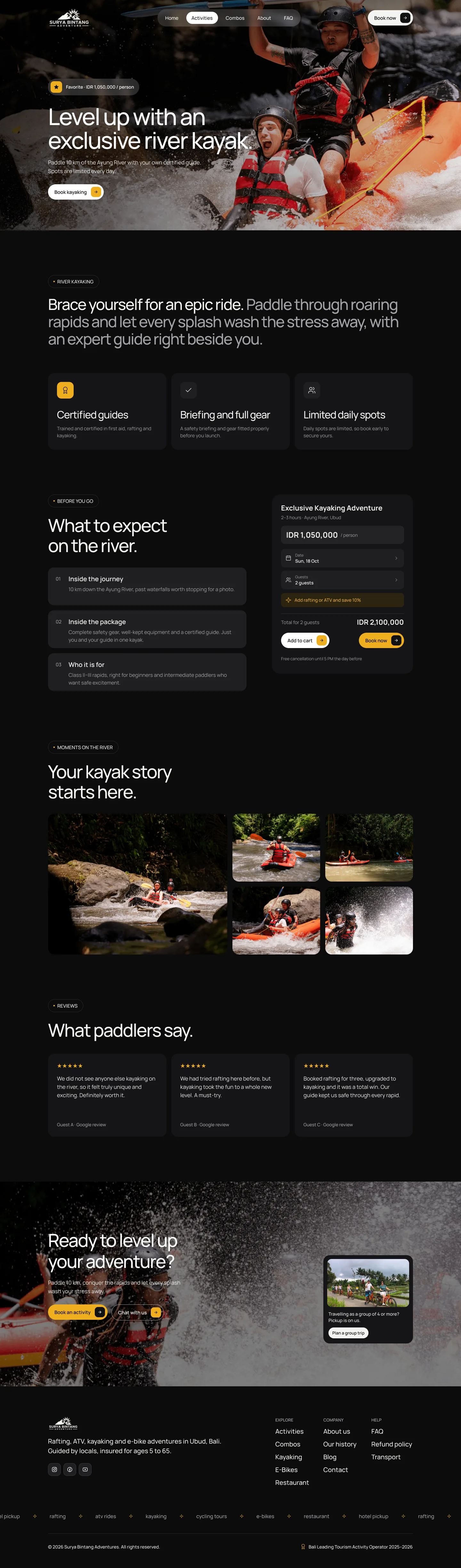
Every activity gets its own page.
Each activity page answers the same three questions in the same place: what will I do, what should I bring and who will guide me. Guests learn the layout once and find answers fast on every other activity.
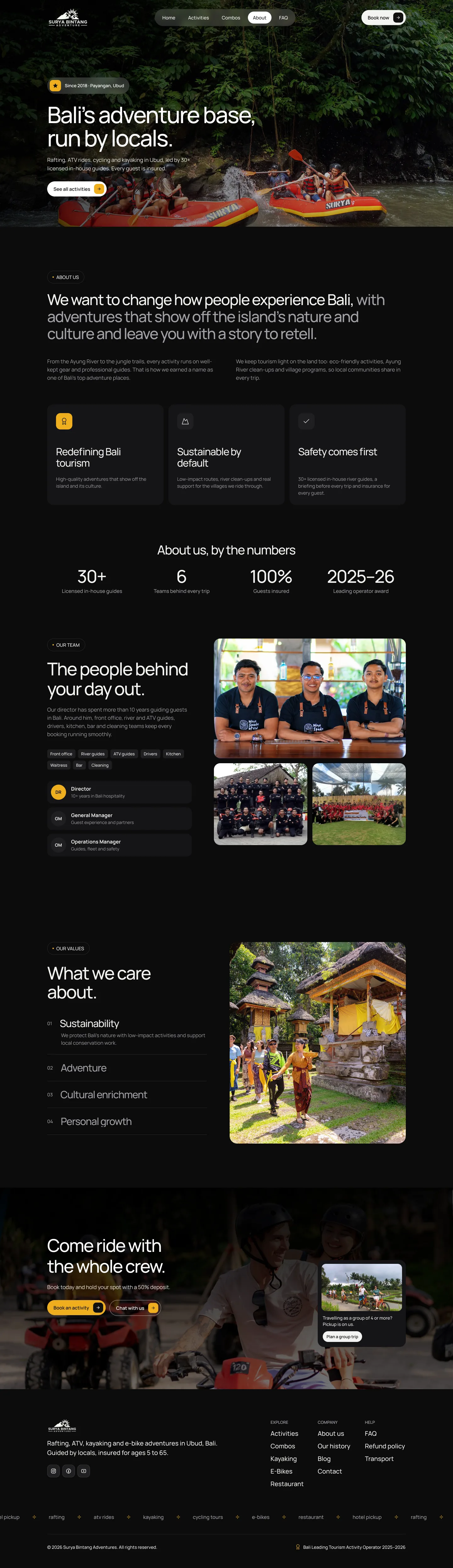
The people behind the basecamp.
The about page shows the guides, the basecamp and the team’s history, so guests know who they are booking with.
Help before they ask.
The contact page answers the questions guests ask most. The blog covers what to wear, the best season and how to reach Ubud.
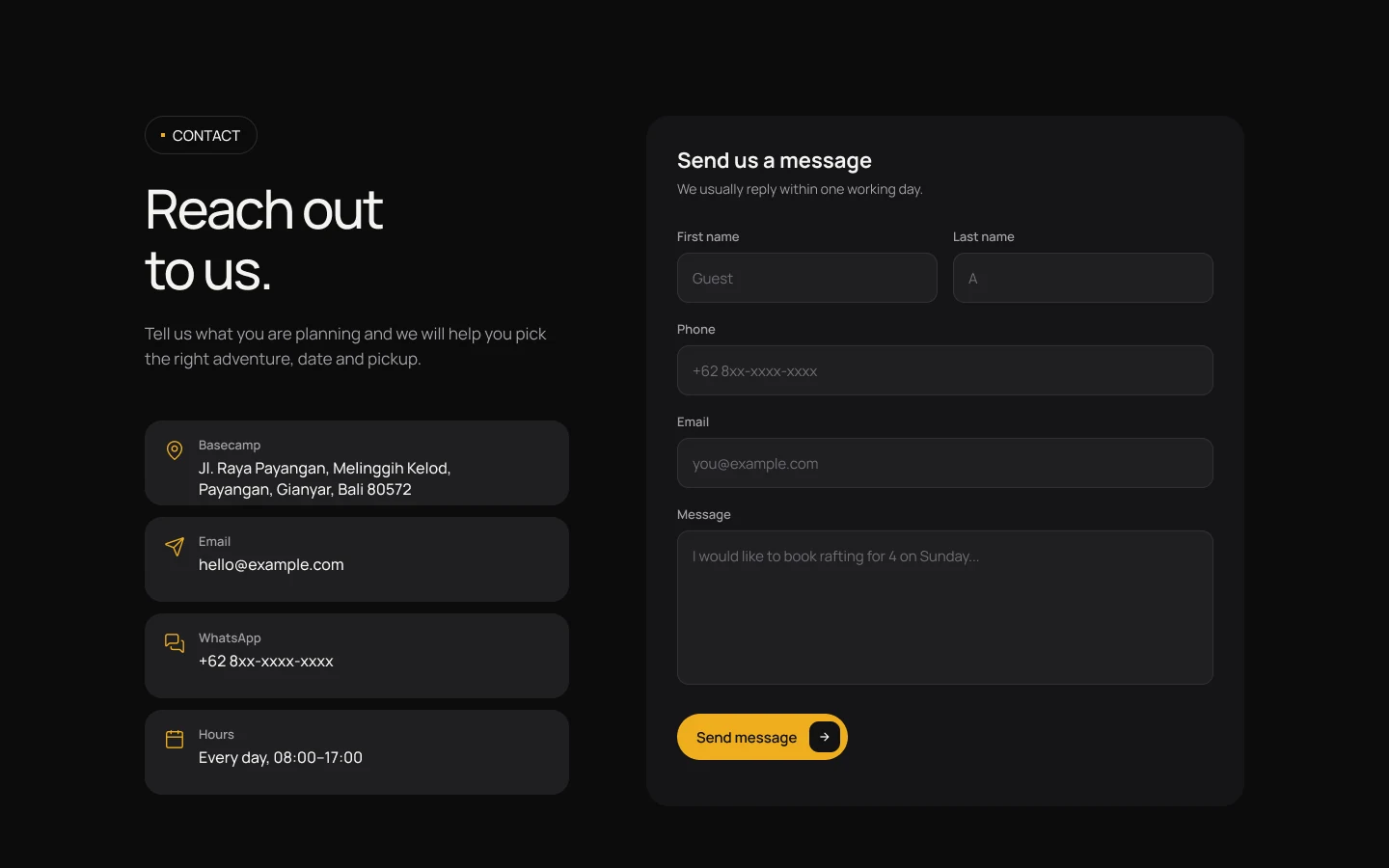
Contact
Opening hours, location and WhatsApp, plus answers to the questions asked most.
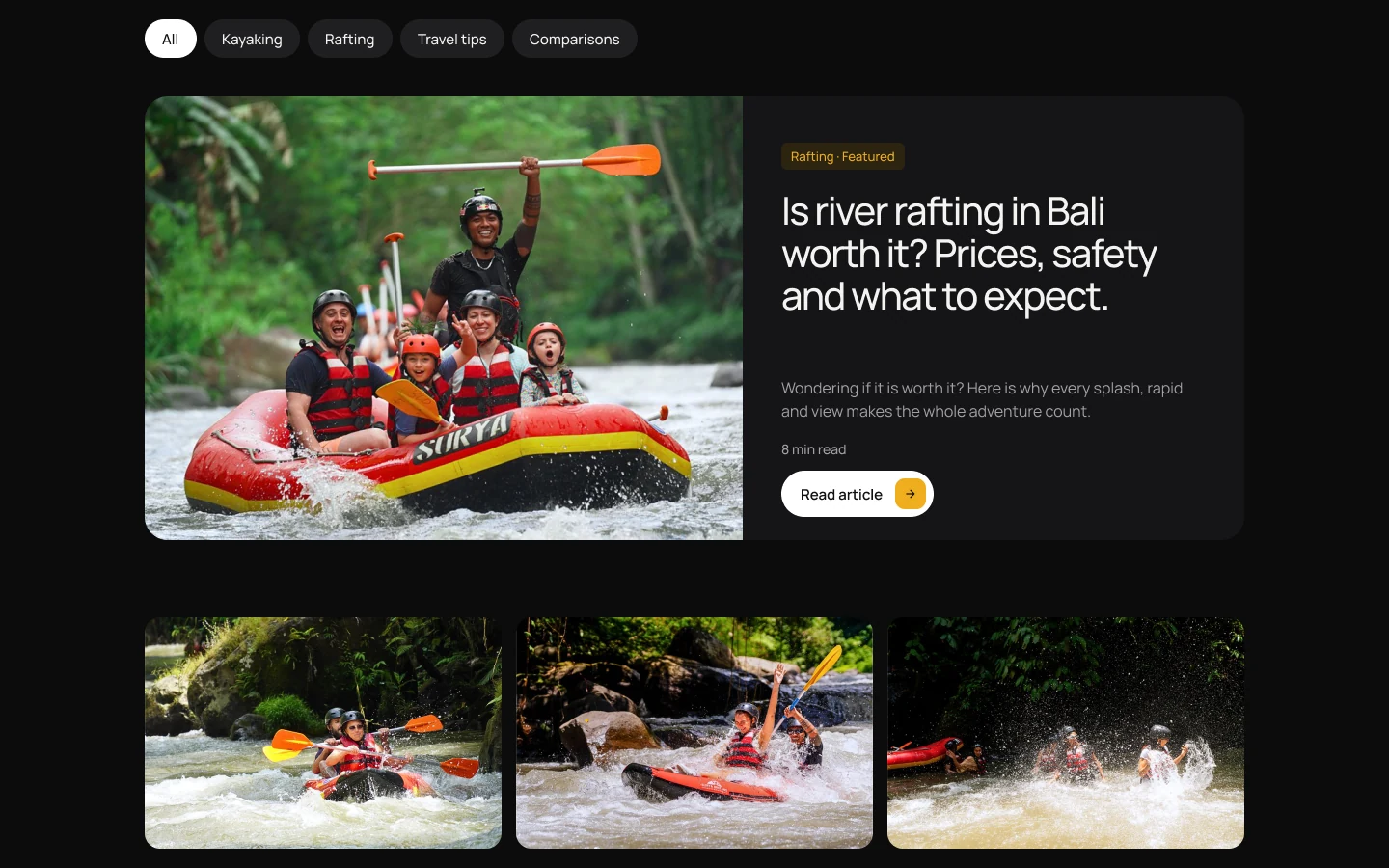
Blog
Travel tips that also bring new guests in from Google.
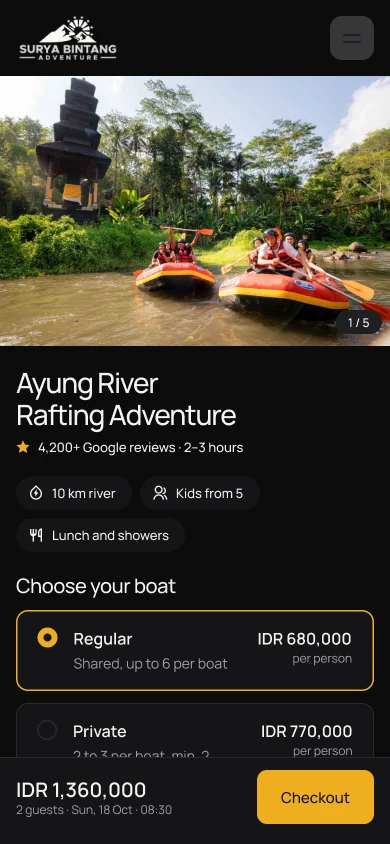
Designed for mobile first.
Most guests book on their phone. Every page was designed at 390 px first, with the price and the booking button visible on every screen.

Part 2 · Admin and agent portal
The website sells the day. This is the tool the Surya Bintang team uses to run it: the front desk, the drivers, the owner and the travel agents who resell their tours.
First, how a booking really happens.
Before any screen we drew the busiest moment of the day: a guest walks up to the counter, picks activities and pays. This flow shows every step from arrival to payment.
Walk-in booking at the desk
Change or cancel a booking
Agent books on their own
Seven pages, in the order of a working day.
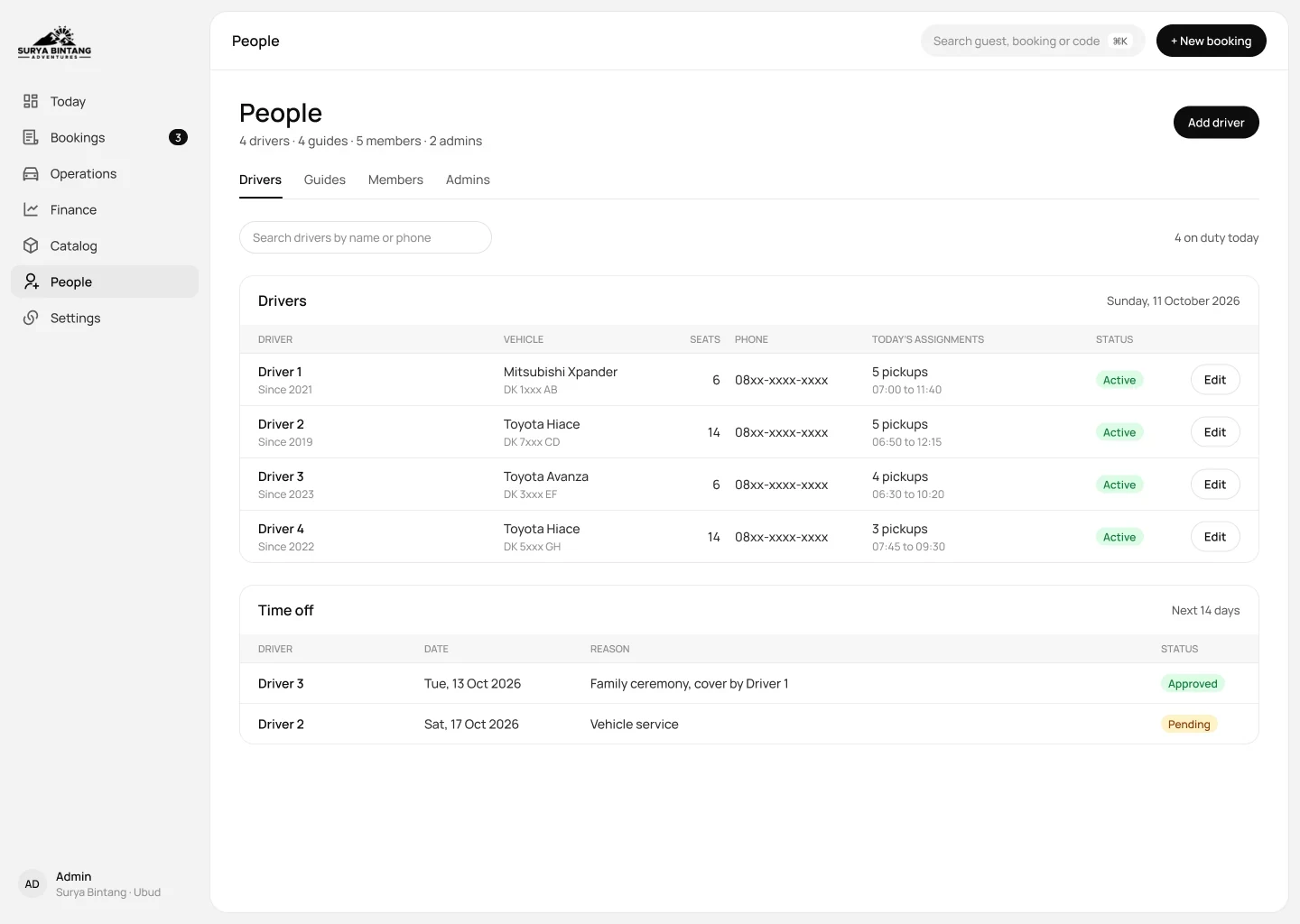
Today in the morning, Bookings at the desk, Operations for drivers, Finance at closing, then Catalog, People and Settings for the owner. Staff always know where to look.
Admin back office · 7 pages
Agent portal · 4 pages
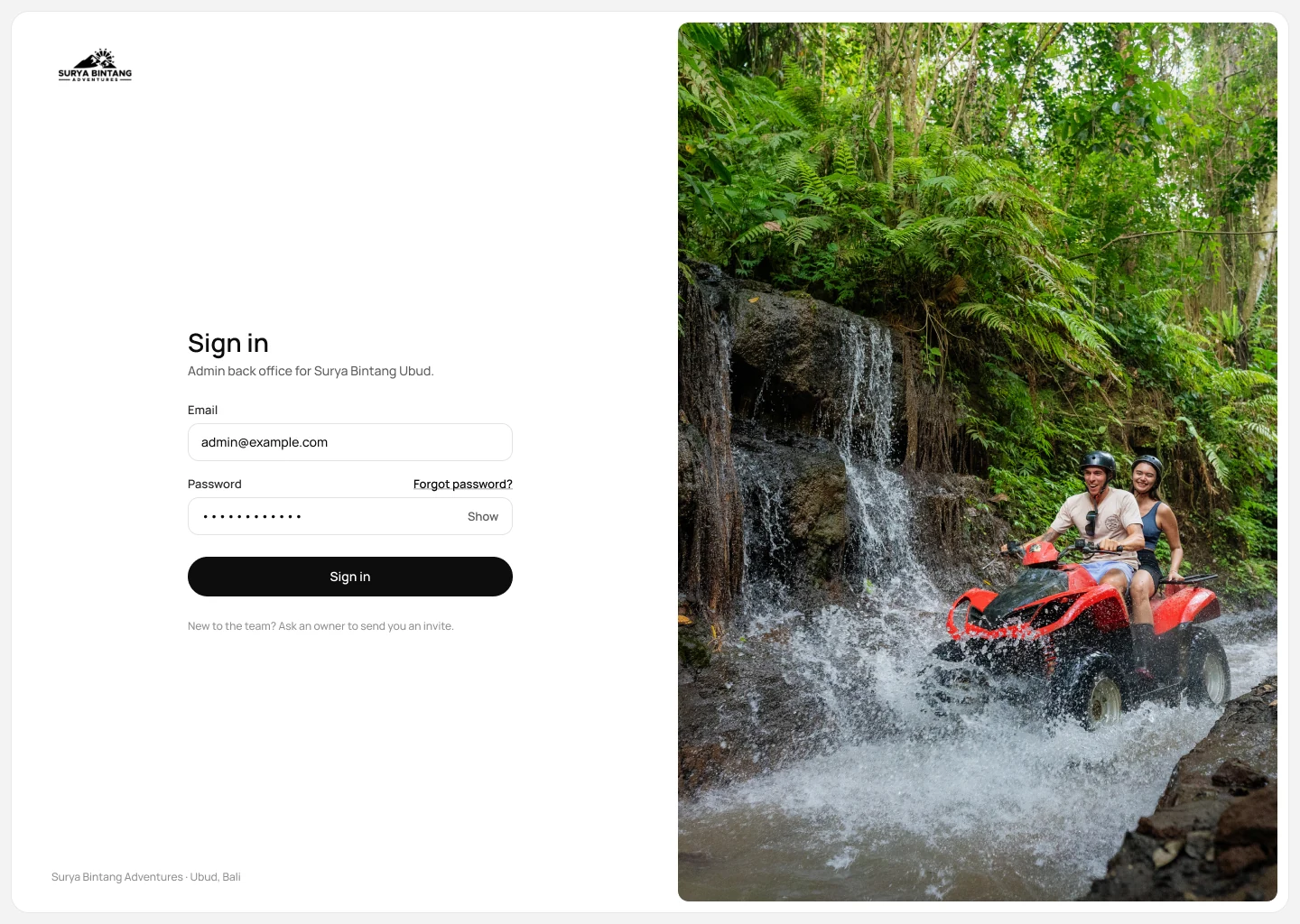
Sign in
Only invited staff can sign in. The owner sends each invite.
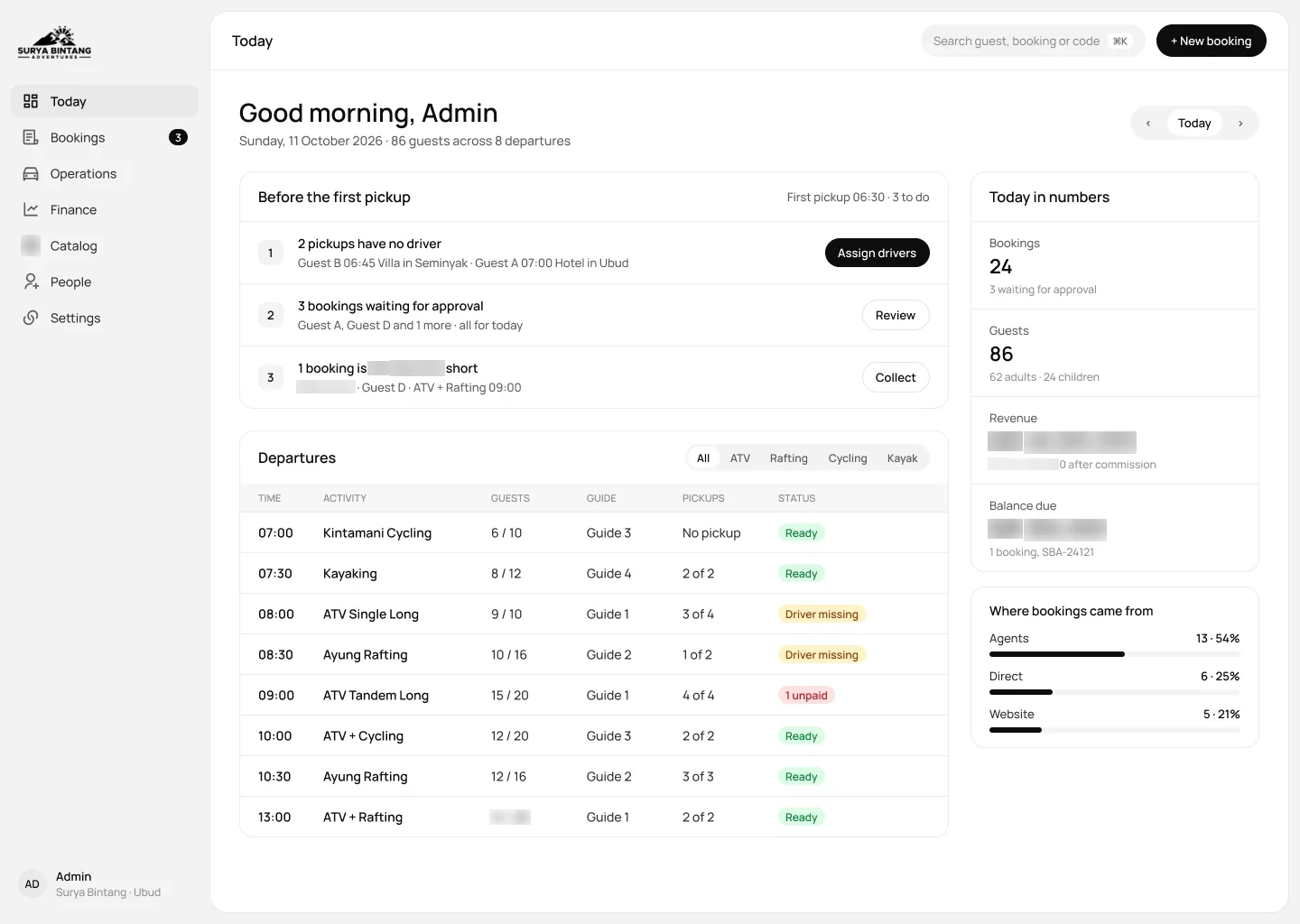
Today: what needs doing before the first pickup.
This is the screen the team opens every morning. On one side are the day’s departures, on the other everything still open: bookings to confirm, pickups without a driver and balances to collect.
Gutter 24 1440
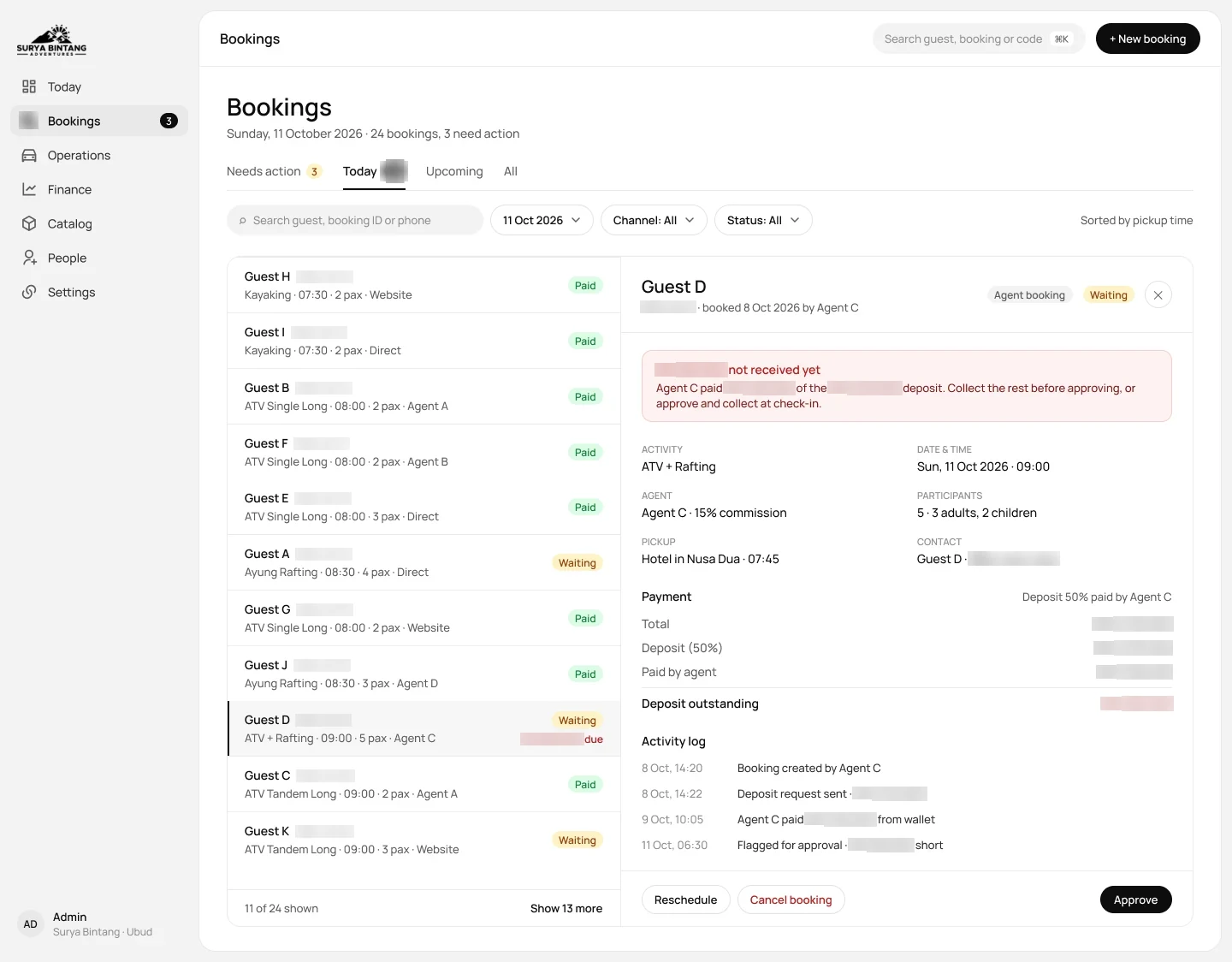
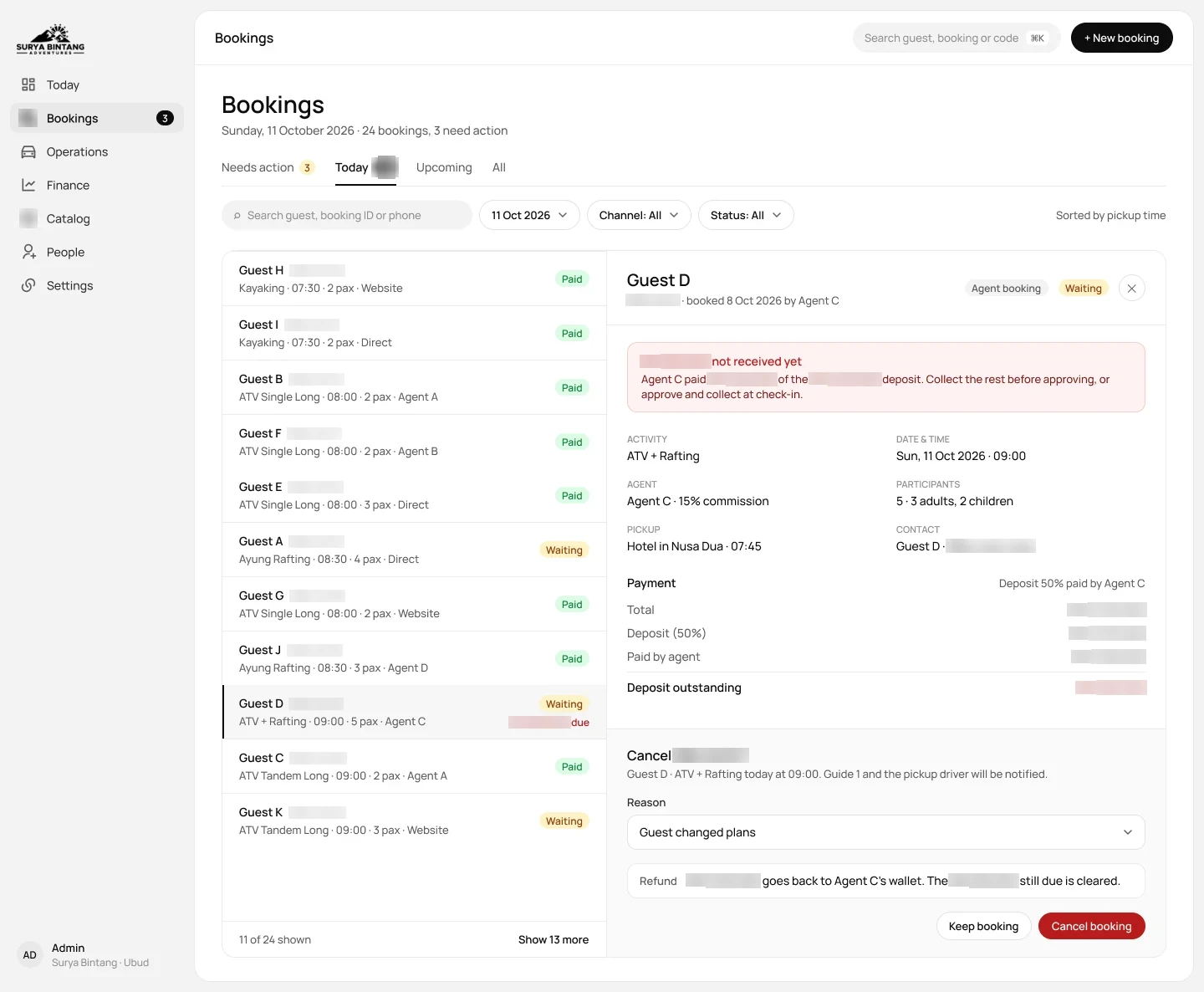
Bookings: change a booking without losing your place.
When a guest calls to move a date, staff search the list and the booking opens in a panel beside it. They can approve, reschedule or cancel from that panel without leaving the list.
Cancelling a booking
The cancellation rule sits right above the refund amount, so staff can see the refund the policy allows.
Every change is kept in the booking’s history for the next person who opens it.
New booking: a walk-in guest in three steps.
Step one is who is coming, step two the activities, step three payment. The order summary follows all three steps, so the total is clear before payment.
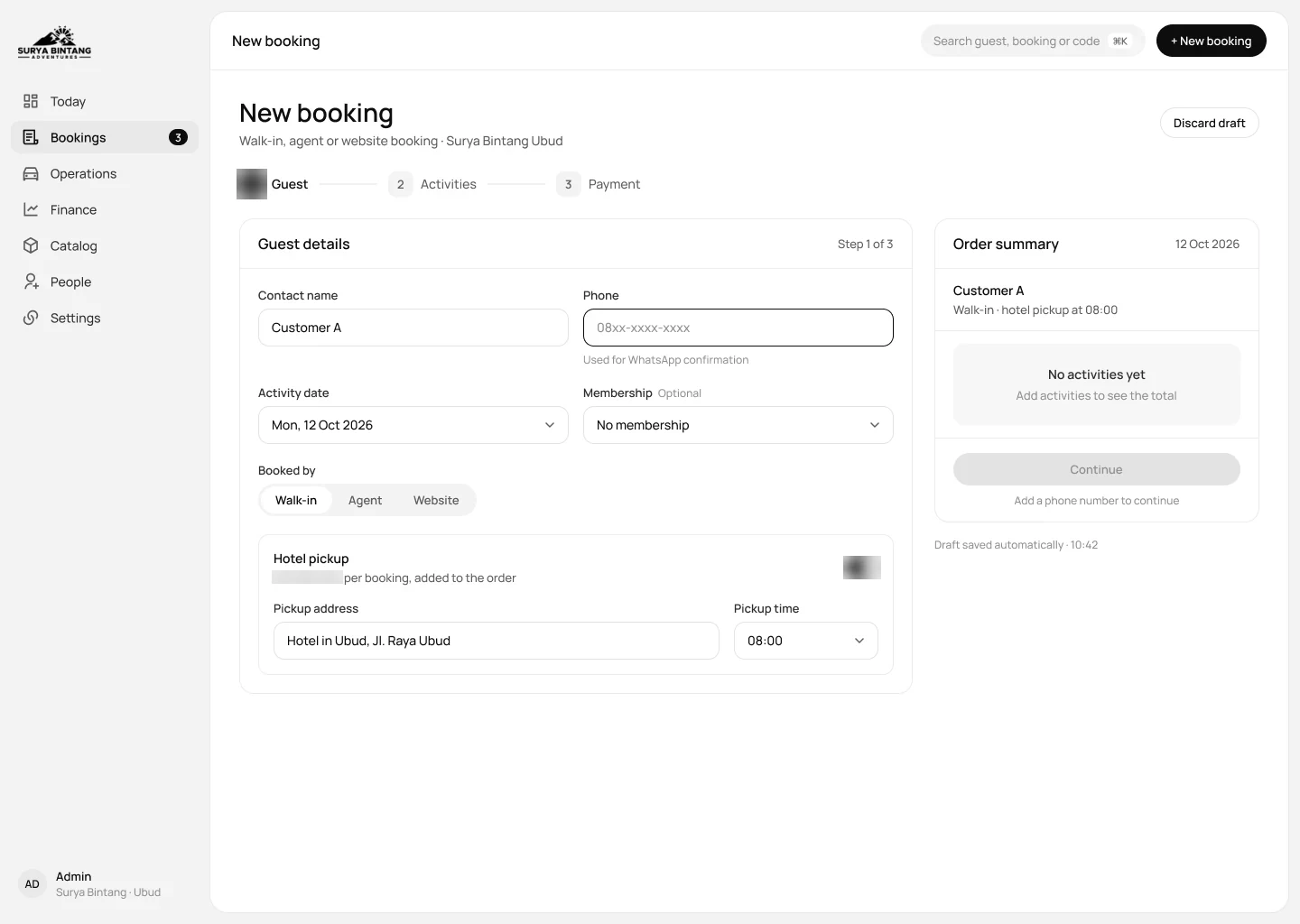
Step 1 · Guest and pickup
Name, number of people and the hotel to collect them from.
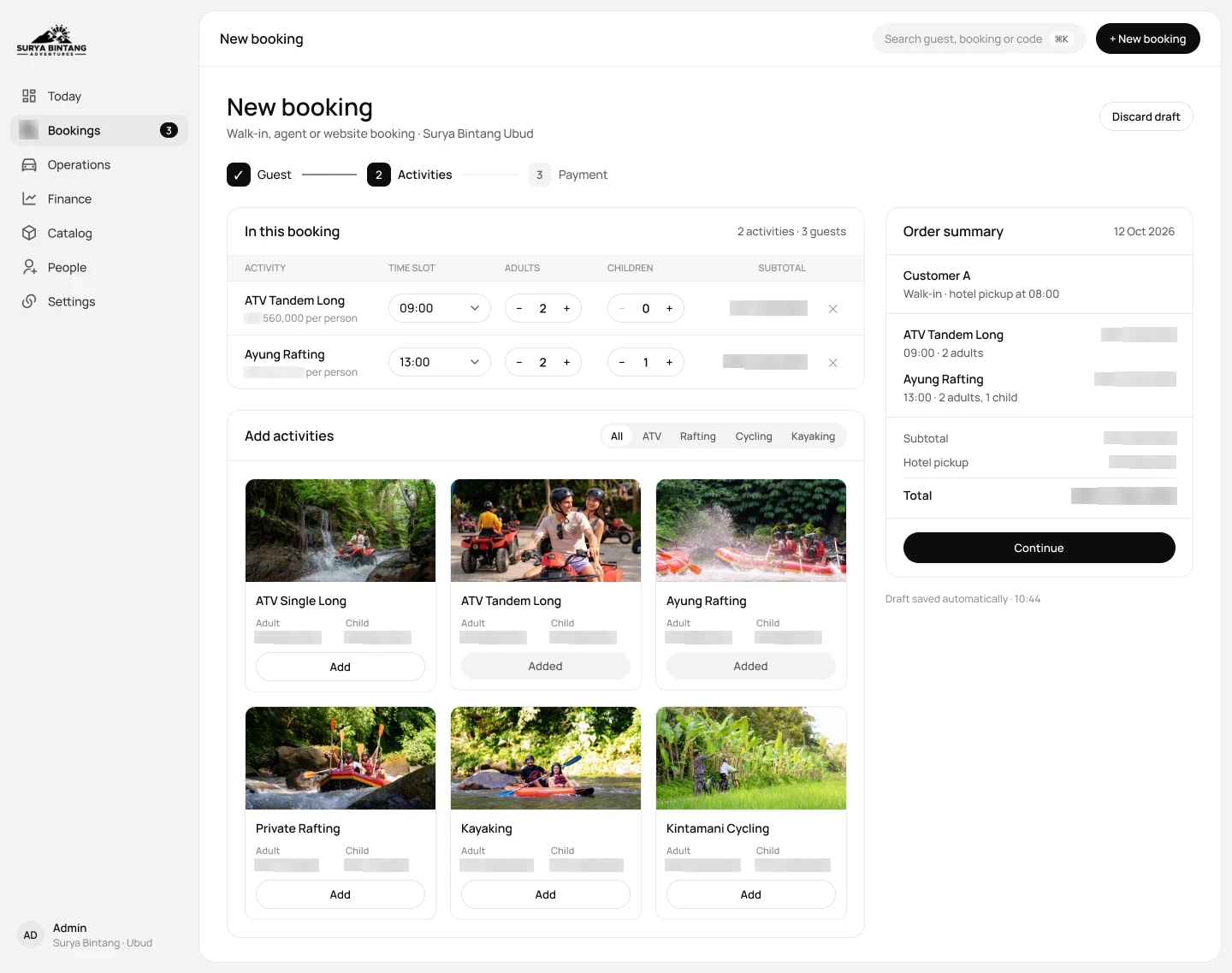
Step 2 · Activities
Add activities, then pick a time slot and the number of adults and children.
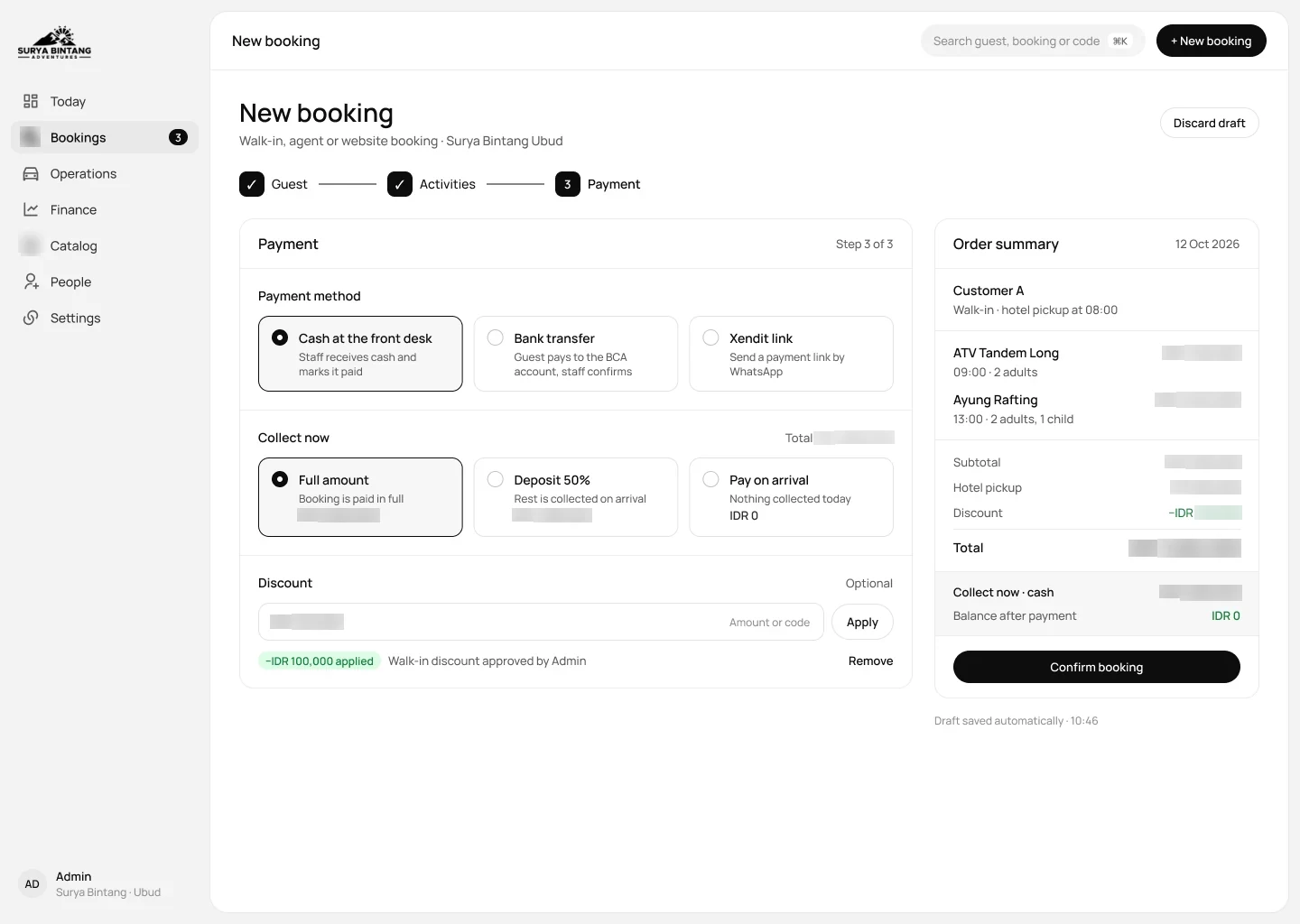
Step 3 · Payment
Cash, card or transfer, with the deposit and the balance shown apart.
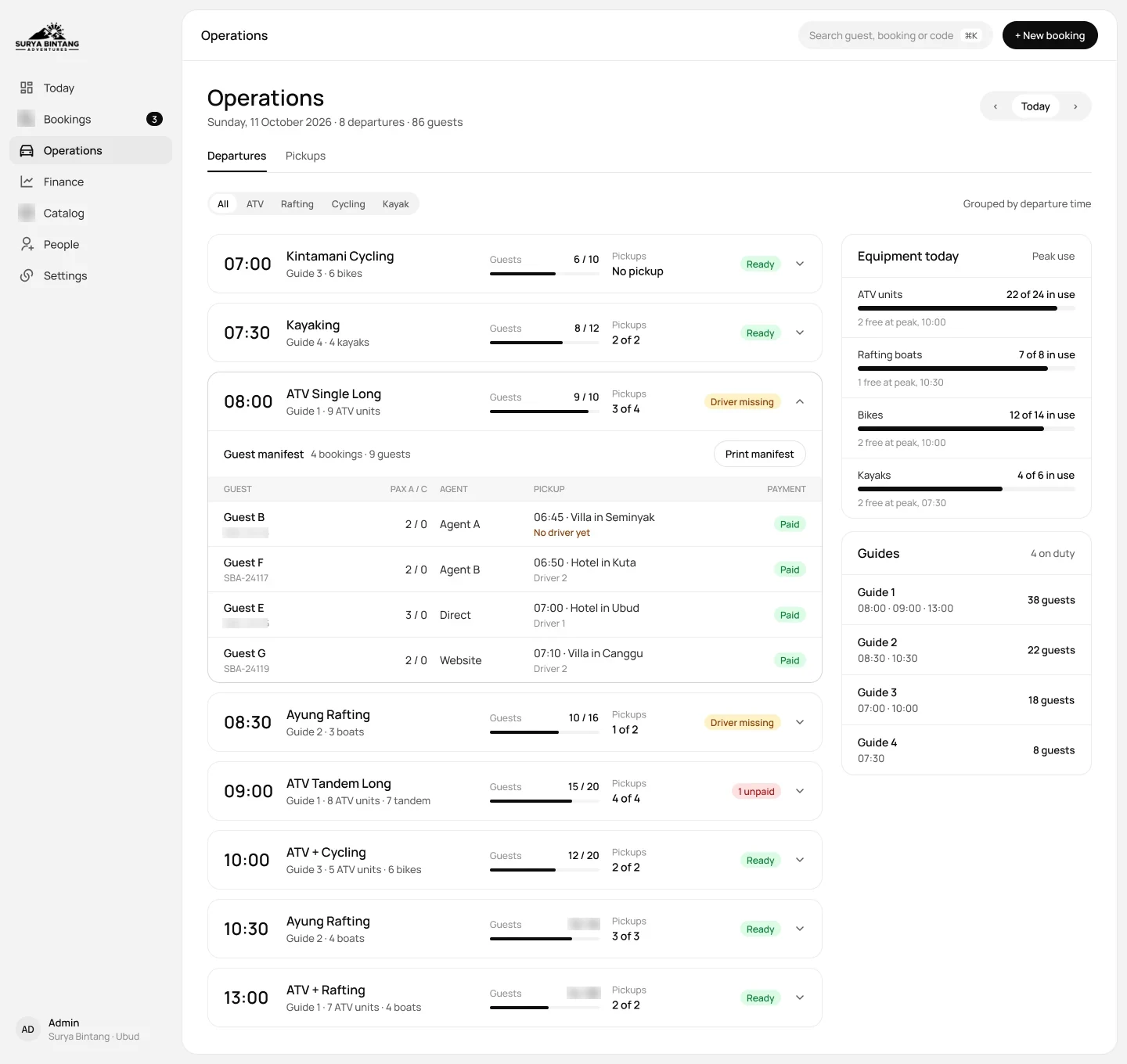
Operations: who leaves when, with which driver.
Every departure of the day in time order; open one to see its guest list. Drivers are assigned right on each pickup, so the morning briefing uses one screen instead of a group chat.
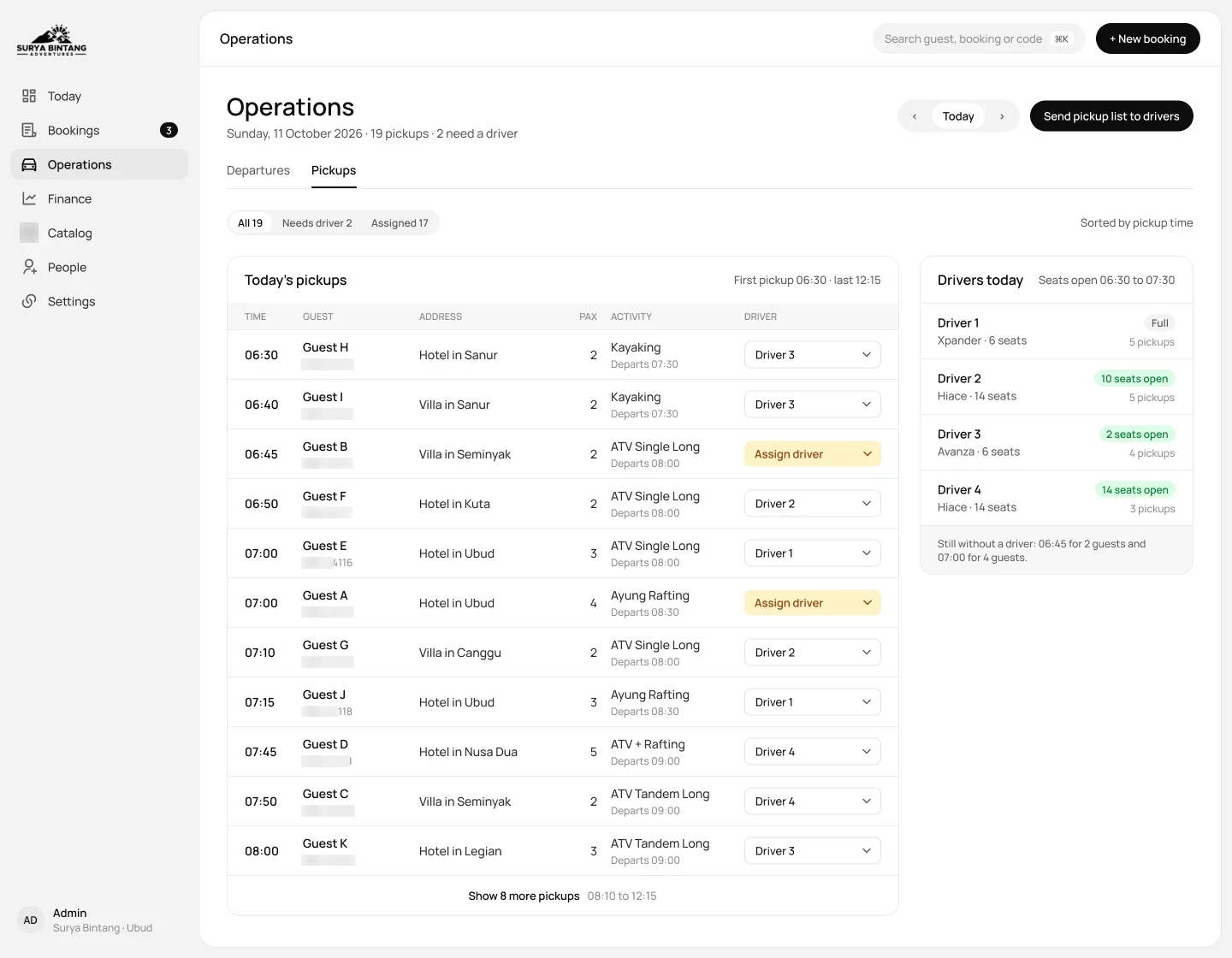
Hotel pickups
Pickups are grouped by hotel, time and area, and each group has a driver assigned.
Finance: what came in and what is still owed.
At closing the owner sees three numbers for the day: booked, received and still to collect. Agent commission is approved against each agent’s own ledger, before it is paid out.
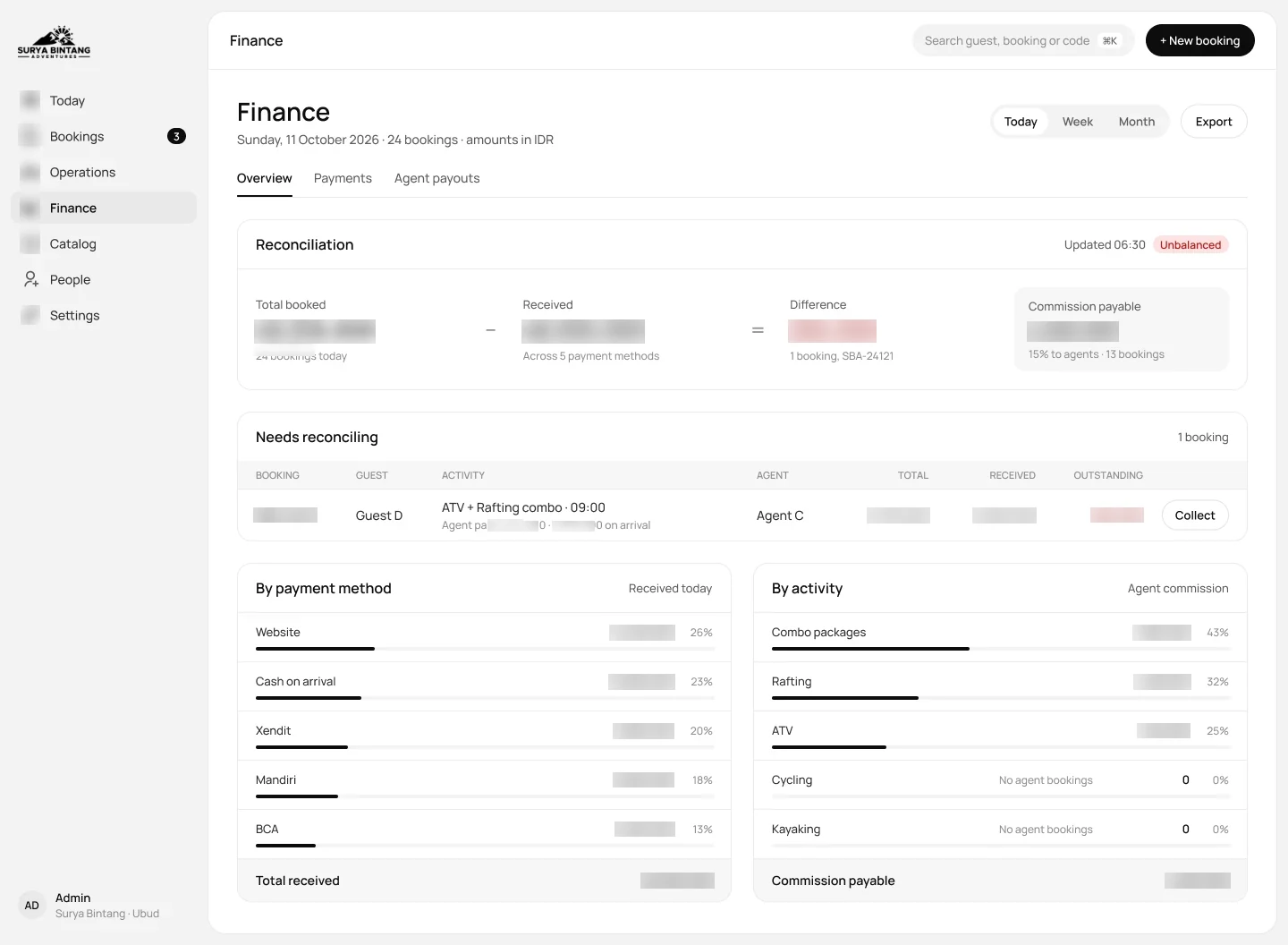
Finance overview
Booked minus received is what is left to collect.
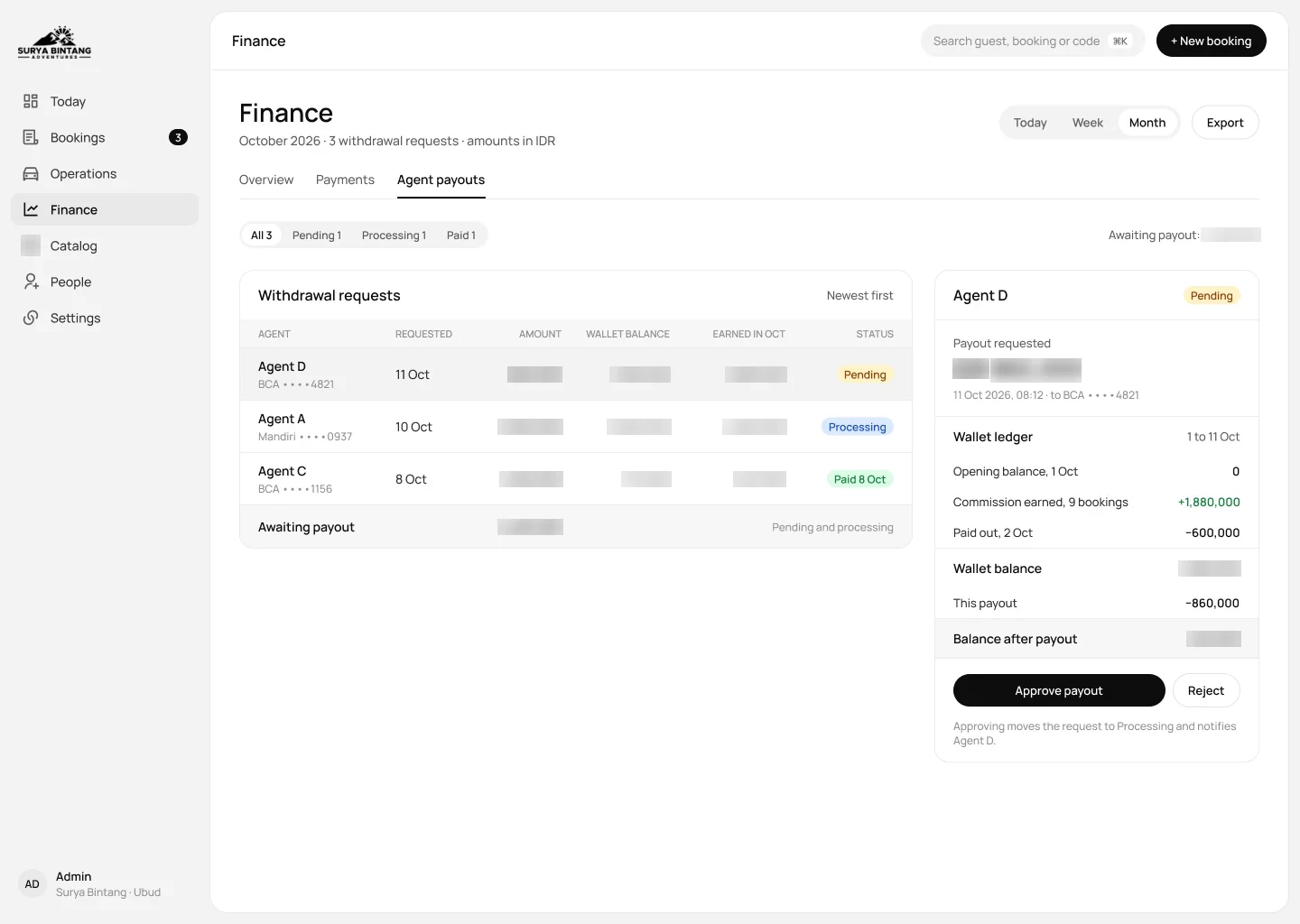
Agent payouts
Each agent’s bookings and commission, approved in one click.
Catalog, people and settings: set once by the owner.
Activities, prices, seats and agent commission live in one place. Change a price here and the website, the desk and the agents all see it.
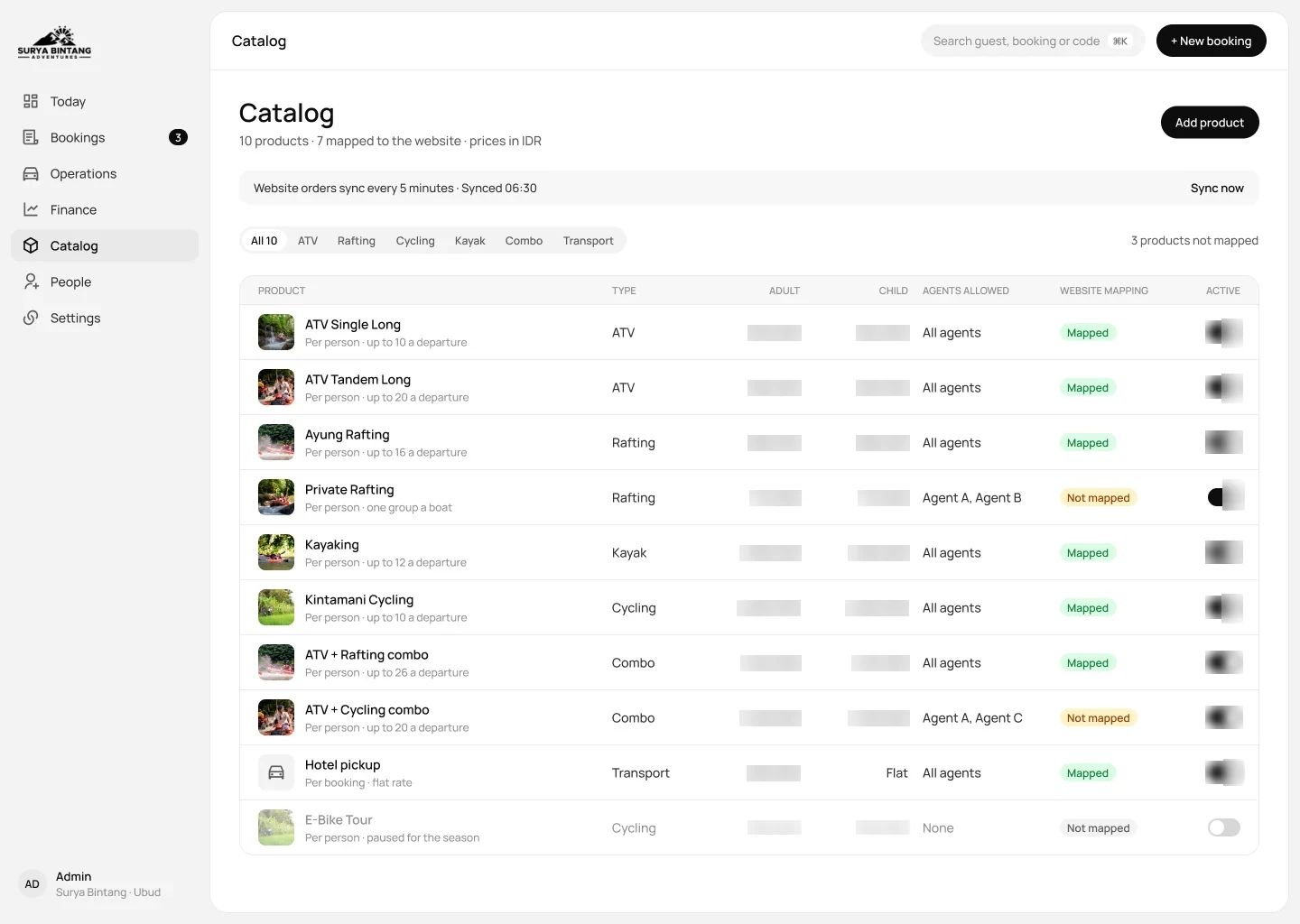
Catalog
Every activity with its price, seats per departure and agent commission.
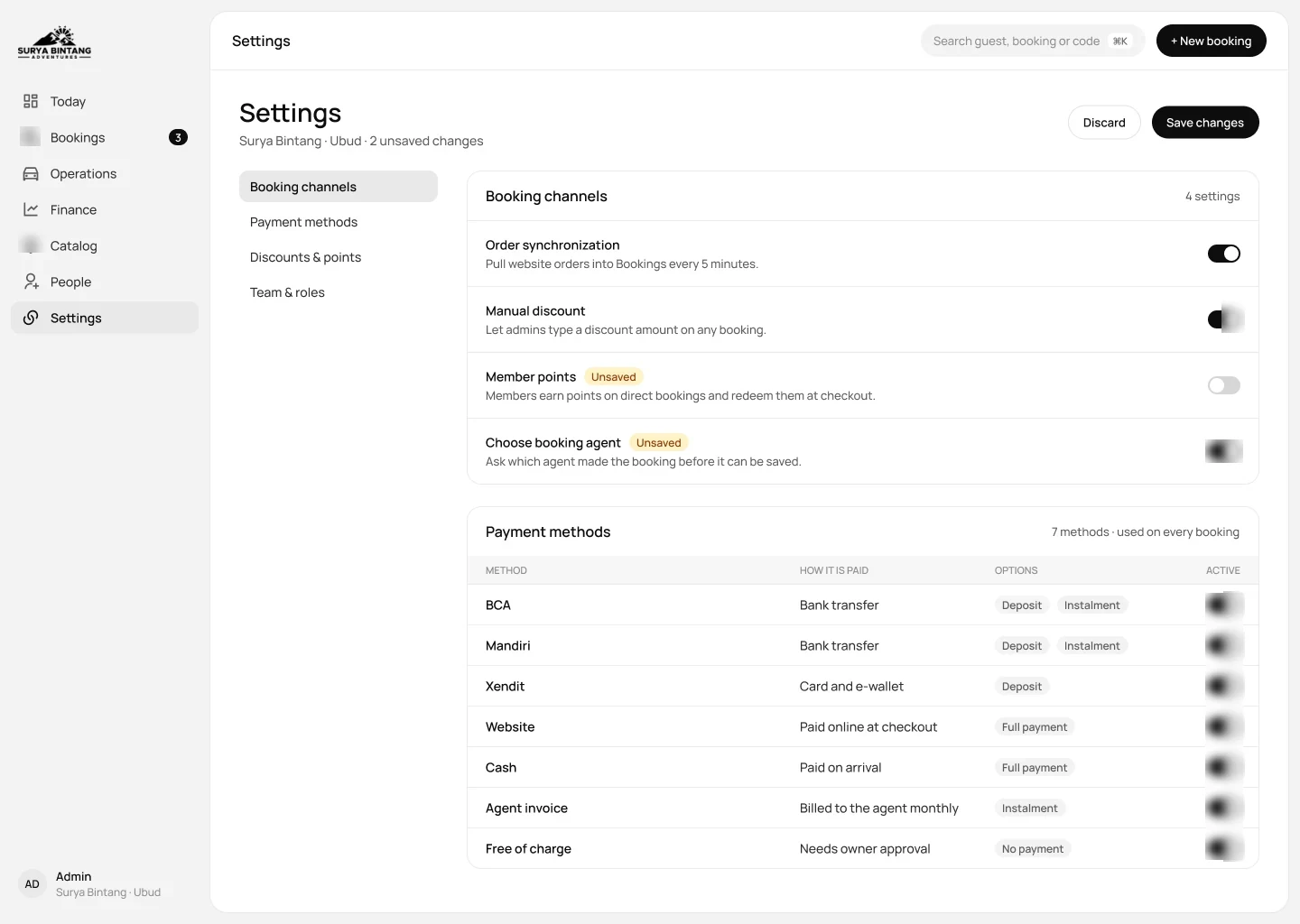
Settings
Which channel sells what, and which payment methods are on.
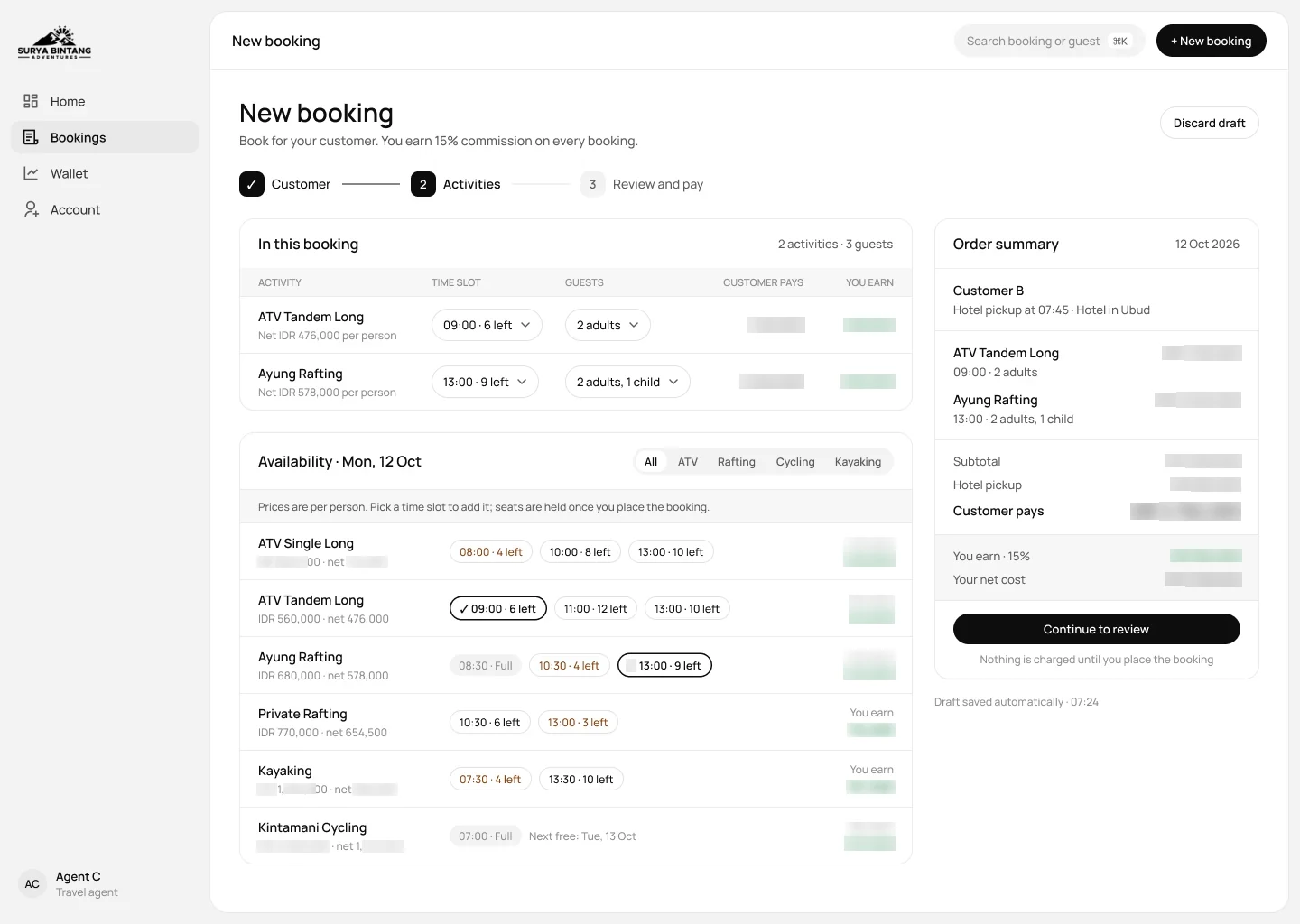
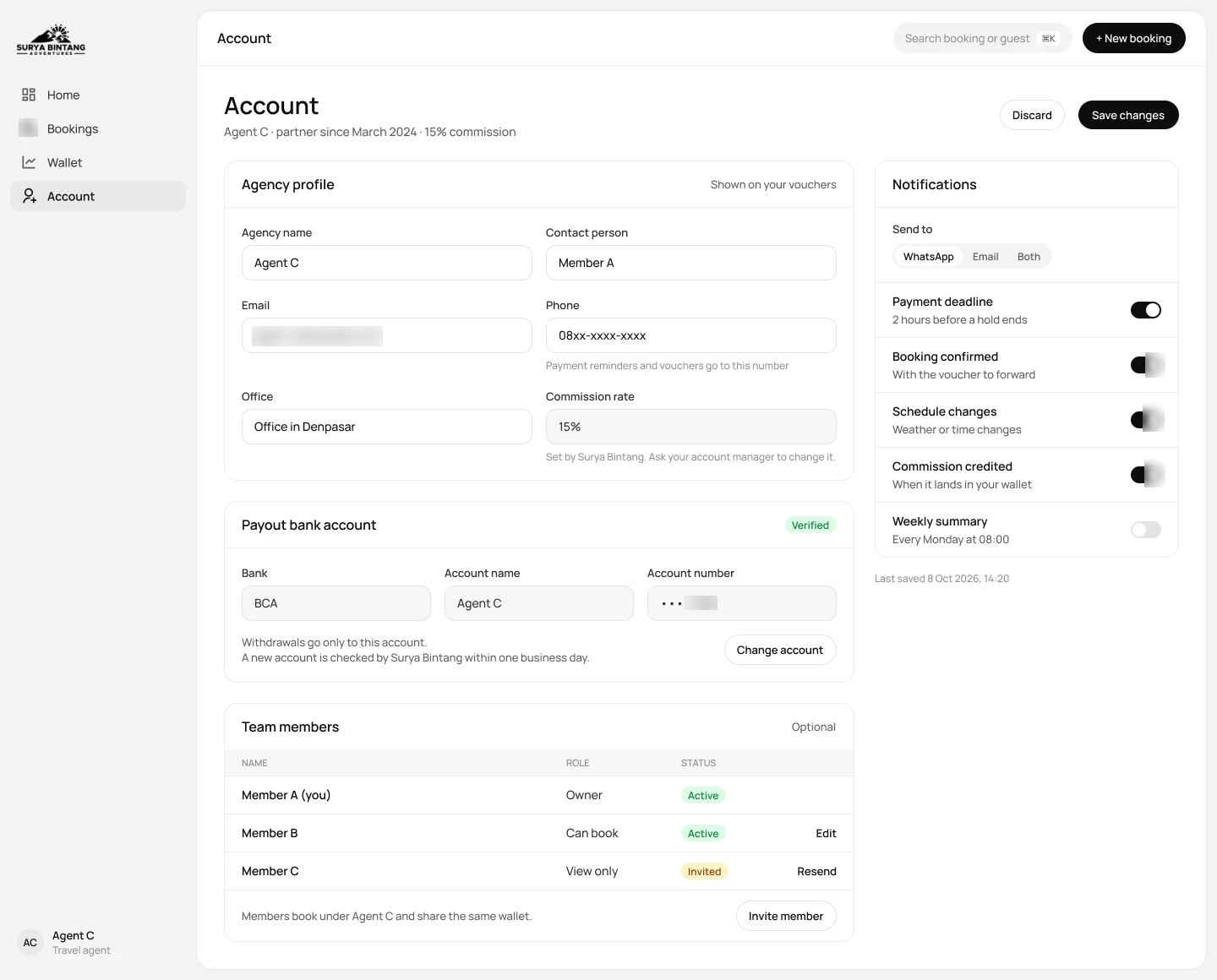
Agent portal: travel agents book on their own.
Hotels and tour agents used to call to check seats. Now they log in, see seats left and their commission, book for their guests and withdraw their earnings.
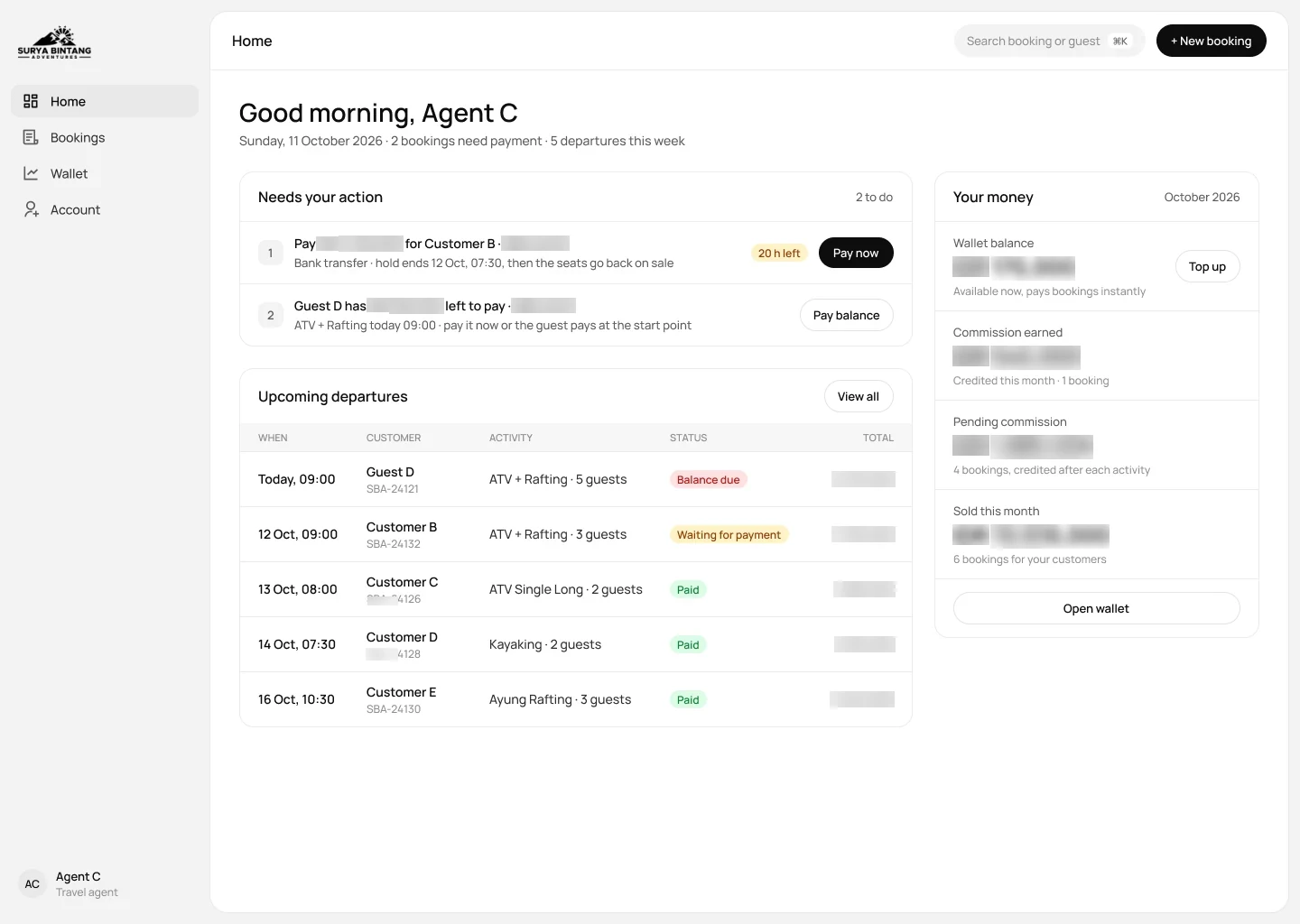
Agent home
Today’s bookings and earnings at a glance.
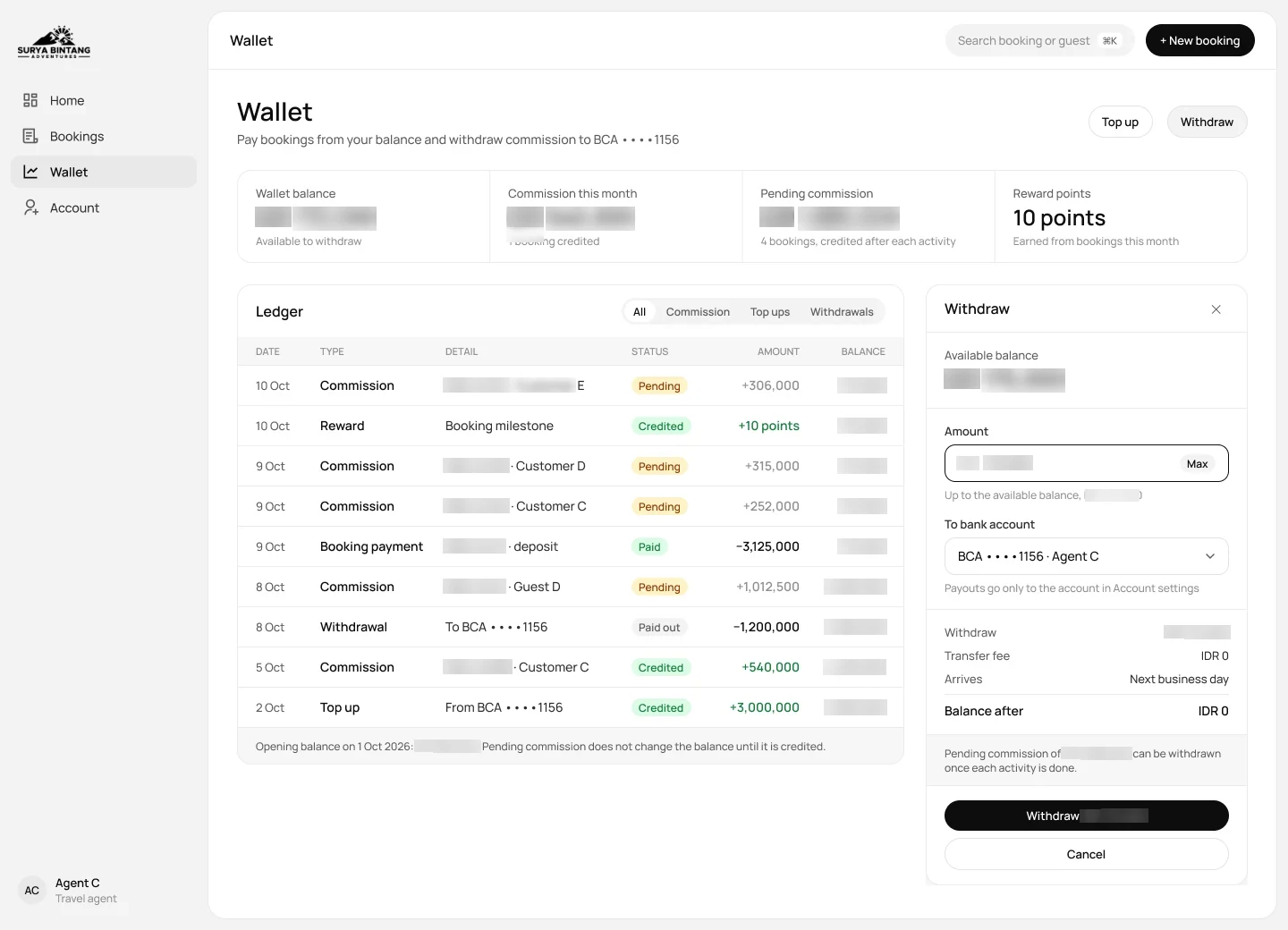
Wallet
Commission earned, and withdrawals the agent requests on their own.
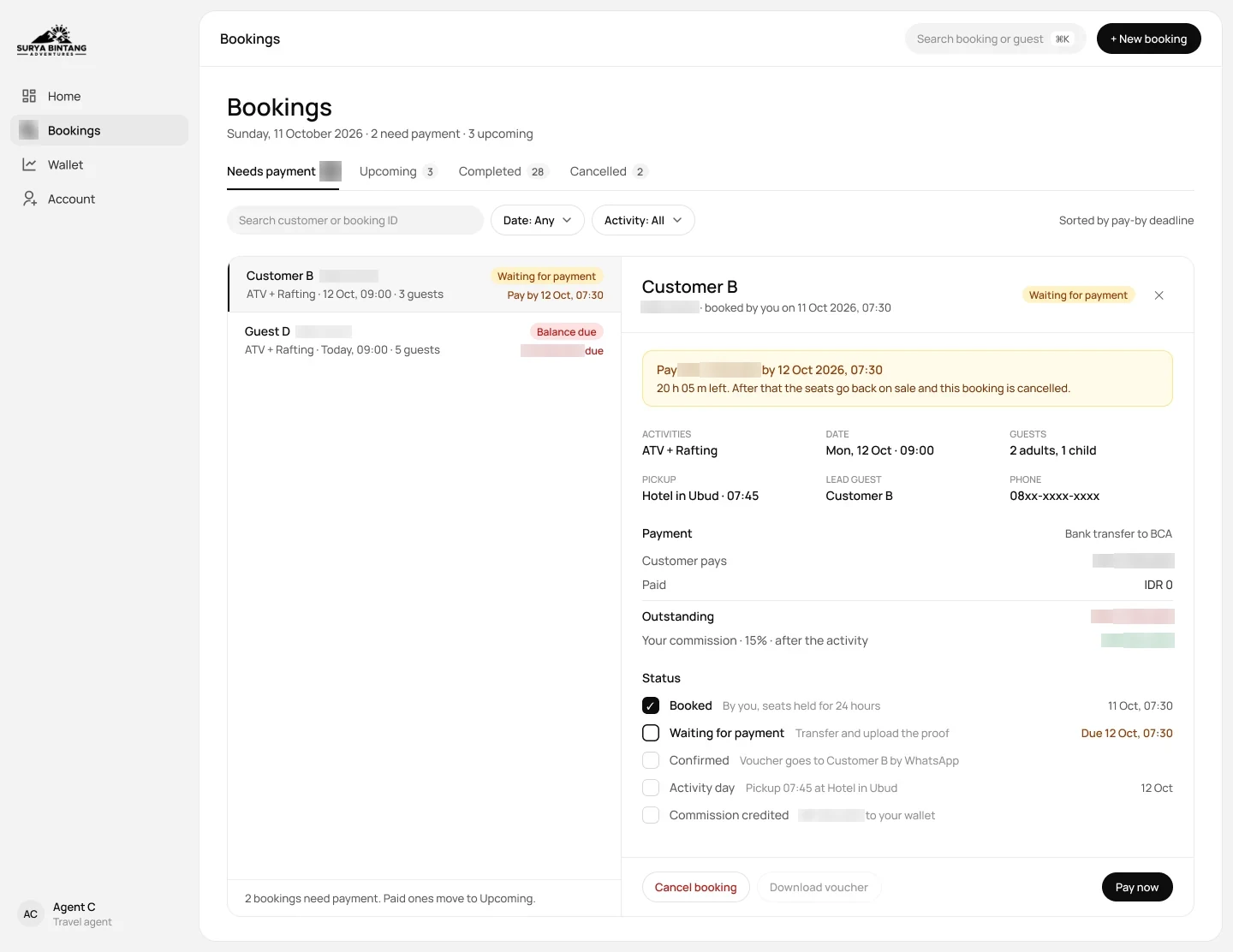
Bookings
Every booking the agent made, with its status.
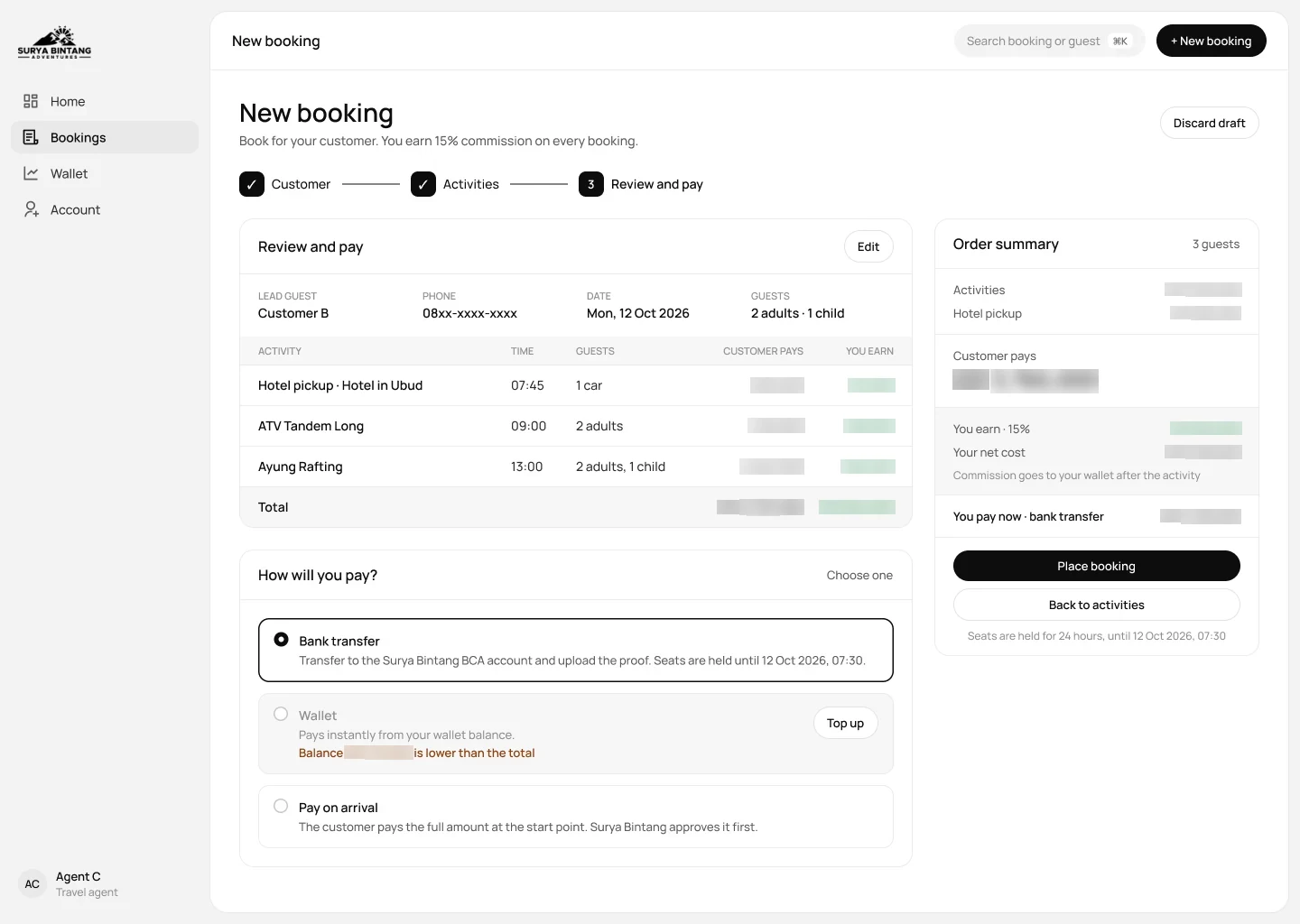
Review and pay
The last check before the booking goes to the basecamp.
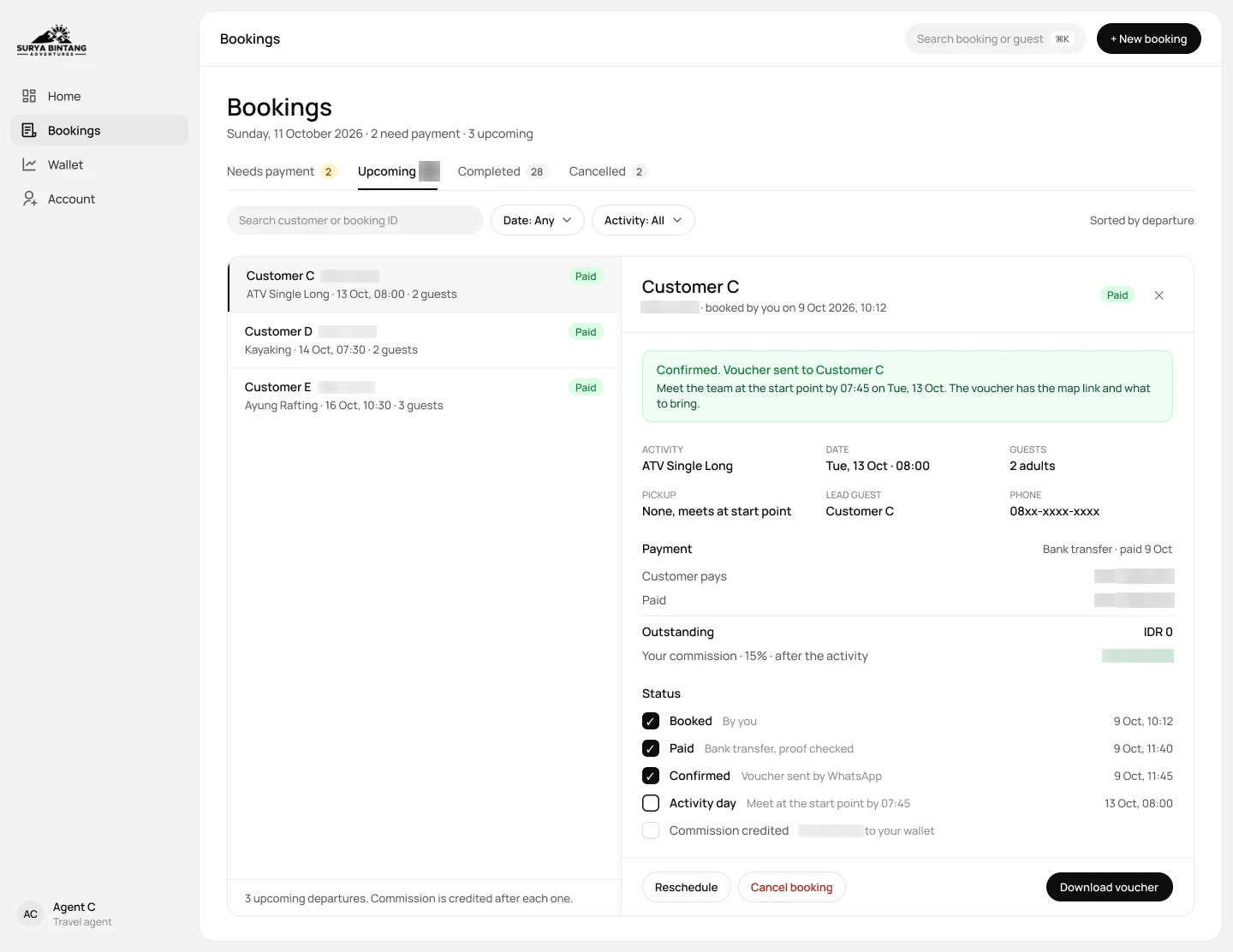
Upcoming booking
Pickup time and guest details to pass on to the customer.
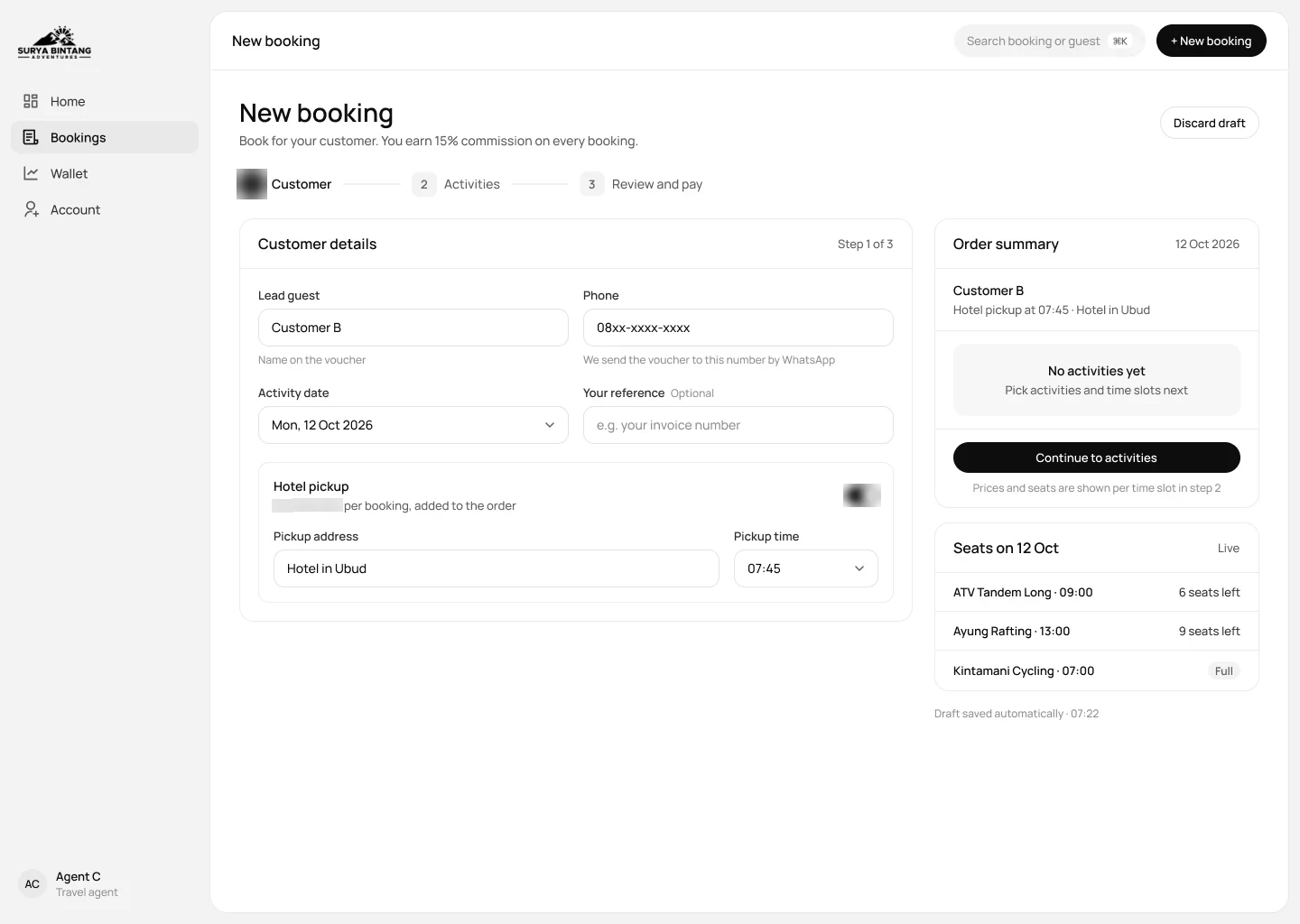
Customer details
The agent books on behalf of their own guest.
The Result
Guests now build a full day in Ubud on their own: compare activities, add a combo, see the total with pickup and pay a deposit, while the team starts each tour day on one screen instead of a stack of chats and sheets.
Walk-ins take three steps, drivers are assigned on the pickup itself, and agents book on their own with seats left and commission in view, so fewer questions ever reach WhatsApp and every booking is balanced before the evening close.
-
UX Research
- Content audit
- Competitor research
- Operations shadowing
- Stakeholder interview
-
UX Design
- Site map
- Information architecture
- User flow
- Wireframe
-
UI Design
- Design system
- Icon
- Web design
- Responsive web
- Admin UI
- Agent portal
-
Prototyping
- Interactive prototype
-
Development
- Booking site and CMS
- E-commerce and payments
- Reservations and back office
- Accounting and POS
- Agent portal
- QA, launch and ops